
*BEWARE! a note on terminal characters before you start: apostrophe pairs can be problematic for copy/paste operations between different editors, term types, WordPress etc. The common standard is now UTF8, so make sure you set PuTTY correctly using the Translation option:
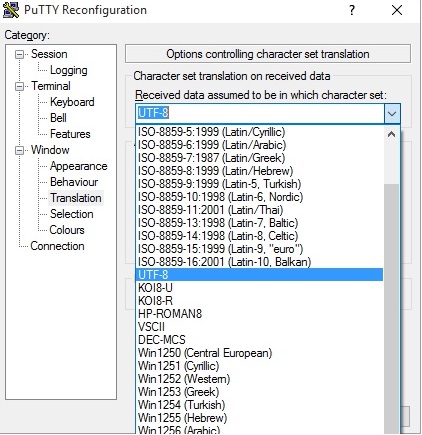
This may still paste one of the two apostrophes in the wrong "direction" and fail for sed and awk command lines - it is easy to miss these visually when they don't translate correctly in a paste! e.g.
awk `{print $2}` (i.e with backtics that don't show in the HTML!)
awk '{print $2}'
The first will fail, the second won't (as seen in the Worpress editor but not on the Post page, which translates correctly again!). These pastes were from the same source (this page!), into PuTTY then back here again, before PuTTY was set to UTF8!
-
I want to separate a list of known Trojan/virus ports to experiment with an Nmap scan, so needed a quick way to cut out just the port numbers from a column listing of some known dodgy ports I found here:
https://www.simovits.com/trojans/trojans.html
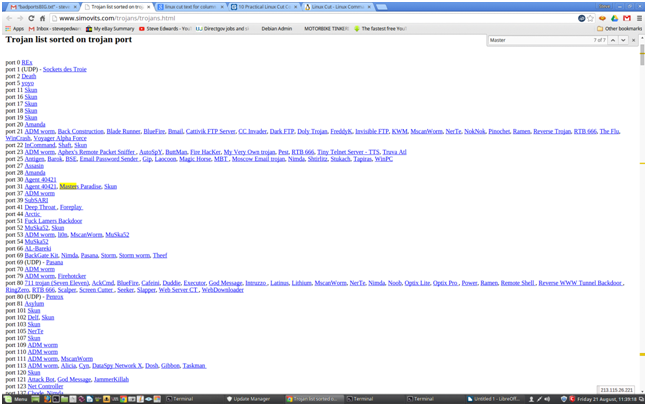
As it is in a column format conveniently, linux has some perfect tools to strip these how you want.
The site seems down since yesterday, so here's a list to practice with:
port 2 Death
port 20 Senna Spy FTP server
port 21 Back Construction, Blade Runner, Doly Trojan, Fore, Invisible FTP, Juggernaut 42 , Larva, MotIv FTP, Net Administrator, Senna Spy FTP server, Traitor 21,
WebEx, WinCrash
port 22 Shaft
port 23 Fire HacKer, Tiny Telnet Server - TTS, Truva Atl
port 25 Ajan, Antigen, Email Password Sender - EPS, EPS II, Gip, Gris, Happy99, Hpteam mail, I love you, Kuang2, Magic Horse, MBT (Mail Bombing Trojan),
Moscow Email trojan, Naebi, NewApt worm, ProMail trojan, Shtirlitz, Stealth, Tapiras, Terminator, WinPC, WinSpy
port 31 Agent 31, Hackers Paradise, Masters Paradise
port 41 Deep Throat, Foreplay or Reduced Foreplay
port 48 DRAT
port 50 DRAT
OR get the txt file already done here:
As I want the port numbers from the 2nd column only at this point, I selected and copied all the text from the browser, and pasted it into a text file on the command line:
vi /badportsBIG.txt
(If you don't want to do all the examples below in depth, a summary of the commands used to quickly convert the port columns to CSV text, with no duplicates, is on the Notepad page.)
Press the "I" key in vim for text Insert, then the middle mouse button (or both side buttons) to paste all the text in:
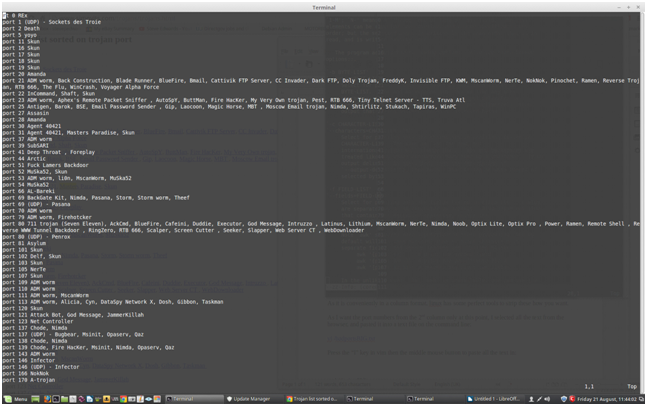
Now you just have to strip out columns 1 and 3 which are nicely space delimited, by choosing only column 2 I love linux's ability for this kind of operation:
awk '{print $2}' /badportsBIG.txt
This gives you a STDOUT on the screen leaving the original file intact.
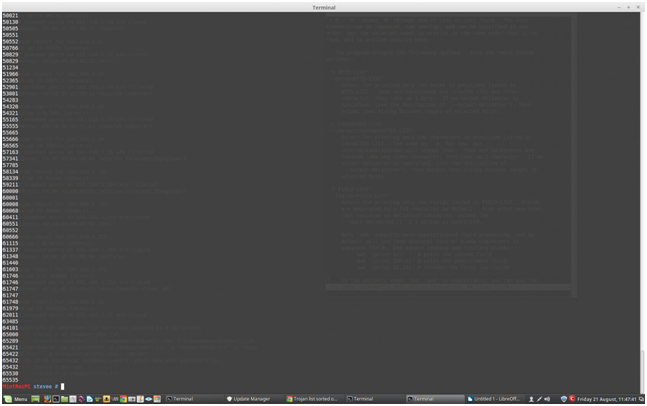
Just append this output to a new empty file to keep this data:
awk '{print $2}' /badportsBIG.txt > /badportsBIGports.txt
Now you have a text file with just the port numbers in.
From research there appears to be no easy way for Nmap to read port numbers from a file - only hosts/IP adresses etc. - which I find hard to believe but seems so, as the port numbers have to follow the -p switch, then be comma delimited either before or after the target - in the form e.g.:
nmap -p 123,124,125,148 192.168.1.1
(A year later I found the simple answer to that poor assumption of appending file content, using the $(variable) format - linux can manipulate data how you want - if you know what you're doing!)
This is a pain, because commas now have to be appended between the file's port numbers, and the return delimiters removed so they are all on one big line, so it can be pasted onto Nmap's command line.
How do you insert the commas after each port number, then remove the carriage returns/whitespaces?
Note; you have to think like a programmer here about the order you do things. If you removed the white space first, you would be left with one massive number! You can't put the commas in then without severe pain.
Research the net as usual or check the UNIX: Database Approach book I mentioned a few Posts back.
I originally found that book back in 2001 in New Zealand, as it is big on fundamental programmer's tools like sed, awk, cut, diff and sort for manipulating text at a character level (as databases were written in column and row formats, needing character definitions etc., on the command line only before GUIs back then, as they still can be in SQL/mysql etc. now, but I never practised with them.
Now's the time for a review with an actual real goal at hand.
There are some sed and awk examples for commas here:
Let's try with one on the initial file, as this example also splits off the second column, but does the whole required process in one go, provided cat is used to read my file FIRST, so:
awk -vORS=, '{ print $2 }' file.txt | sed 's/,$/\n/'
becomes:
cat /badportsBIG.txt | awk -vORS=, '{ print $2 }' | sed 's/,$/\n/'
which outputs:
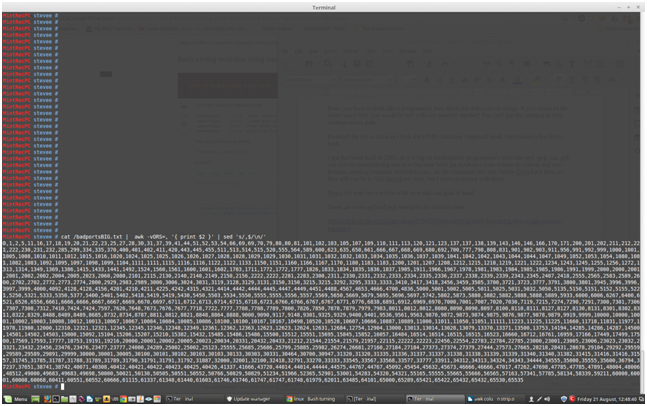
Just what is required to paste the port numbers to nmap. That is so cool!
Let's save that STDOUT to a new file:
cat /badportsBIG.txt | awk -vORS=, '{ print $2 }' | sed 's/,$/\n/' > /badportsBIGcommas.txt
Let's just try nmap with those ports on only one host to start:
nmap 192.168.1.1 -p
0,1,2,5,11,16,17,18,19,20,21,22,23,25,27,28,30,31,37,39,41,44,51,52,53,54,66,69,69,70,79,80,80,81,101,102,103,105,107,109,110,111,113,120,121,123,137,137,138,139,143,146,146,166,170,171,200,201,202,211,212,221,222,230,231,232,285,299,334,335,370,400,401,402,411,420,443,445,455,511,513,514,515,520,555,564,589,600,623,635,650,661,666,667,668,669,680,692,700,777,798,808,831,901,902,903,911,956,991,992,999,1000,1001,1005,1008,1010,1011,1012,1015,1016,1020,1024,1025,1025,1026,1026,1027,1028,1028,1029,1029,1030,1031,1031,1032,1032,1033,1034,1035,1036,1037,1039,1041,1042,1042,1043,1044,1044,1047,1049,1052,1053,1054,1080,1081,1082,1083,1092,1095,1097,1098,1099,1104,1111,1111,1115,1116,1116,1122,1122,1133,1150,1151,1160,1166,1167,1170,1180,1183,1183,1200,1201,1207,1208,1212,1215,1218,1219,1221,1222,1234,1243,1245,1255,1256,1272,1313,1314,1349,1369,1386,1415,1433,1441,1492,1524,1560,1561,1600,1601,1602,1703,1711,1772,1772,1777,1826,1833,1834,1835,1836,1837,1905,1911,1966,1967,1978,1981,1983,1984,1985,1985,1986,1991,1999,2000,2000,2001,2001,2002,2002,2004,2005,2023,2060,2080,2101,2115,2130,2140,2140,2149,2150,2156,2222,2222,2281,2283,2300,2311,2330,2331,2332,2333,2334,2335,2336,2337,2338,2339,2339,2343,2345,2407,2418,2555,2565,2583,2589,2600,2702,2702,2772,2773,2774,2800,2929,2983,2989,3000,3006,3024,3031,3119,3128,3129,3131,3150,3150,3215,3215,3292,3295,3333,3333,3410,3417,3418,3456,3459,3505,3700,3721,3723,3777,3791,3800,3801,3945,3996,3996,3997,3999,4000,4092,4128,4128,4156,4201,4210,4211,4225,4242,4315,4321,4414,4442,4444,4445,4447,4449,4451,4488,4567,4653,4666,4700,4836,5000,5001,5002,5005,5011,5025,5031,5032,5050,5135,5150,5151,5152,5155,5221,5250,5321,5333,5350,5377,5400,5401,5402,5418,5419,5419,5430,5450,5503,5534,5550,5555,5555,5556,5557,5569,5650,5669,5679,5695,5696,5697,5742,5802,5873,5880,5882,5882,5888,5888,5889,5933,6000,6006,6267,6400,6521,6526,6556,6661,6666,6666,6667,6667,6669,6670,6697,6711,6712,6713,6714,6715,6718,6723,6766,6766,6767,6767,6771,6776,6838,6891,6912,6969,6970,7000,7001,7007,7020,7030,7119,7215,7274,7290,7291,7300,7301,7306,7307,7308,7312,7410,7424,7424,7597,7626,7648,7673,7676,7677,7718,7722,7777,7788,7788,7789,7800,7826,7850,7878,7879,7979,7983,8011,8012,8012,8080,8090,8090,8097,8100,8110,8111,8127,8127,8130,8131,8301,8302,8311,8322,8329,8488,8489,8489,8685,8732,8734,8787,8811,8812,8821,8848,8864,8888,9000,9090,9117,9148,9301,9325,9329,9400,9401,9536,9561,9563,9870,9872,9873,9874,9875,9876,9877,9878,9879,9919,9999,10000,10000,10001,10002,10003,10008,10012,10013,10067,10067,10084,10084,10085,10086,10100,10100,10167,10167,10498,10520,10528,10607,10666,10887,10889,11000,11011,11050,11051,11111,11223,11225,11225,11660,11718,11831,11977,11978,11980,12000,12310,12321,12321,12345,12345,12346,12348,12349,12361,12362,12363,12623,12623,12624,12631,12684,12754,12904,13000,13013,13014,13028,13079,13370,13371,13500,13753,14194,14285,14286,14287,14500,14501,14502,14503,15000,15092,15104,15206,15207,15210,15382,15432,15485,15486,15486,15500,15512,15551,15695,15845,15852,16057,16484,16514,16514,16515,16515,16523,16660,16712,16761,16959,17166,17449,17499,17500,17569,17593,17777,18753,19191,19216,20000,20001,20002,20005,20023,20034,20331,20432,20433,21212,21544,21554,21579,21957,22115,22222,22223,22456,22554,22783,22784,22785,23000,23001,23005,23006,23023,23032,23321,23432,23456,23476,23476,23477,23777,24000,24289,25002,25002,25123,25555,25685,25686,25799,25885,25982,26274,26681,27160,27184,27184,27373,27374,27379,27444,27573,27665,28218,28431,28678,29104,29292,29559,29589,29589,29891,29999,30000,30001,30005,30100,30101,30102,30103,30103,30133,30303,30331,30464,30700,30947,31320,31320,31335,31336,31337,31337,31338,31338,31339,31339,31340,31340,31382,31415,31416,31416,31557,31745,31785,31787,31788,31789,31789,31790,31791,31791,31792,31887,32000,32001,32100,32418,32791,33270,33333,33545,33567,33568,33577,33777,33911,34312,34313,34324,34343,34444,34555,35000,35555,35600,36794,37237,37651,38741,38742,40071,40308,40412,40421,40422,40423,40425,40426,41337,41666,43720,44014,44014,44444,44575,44767,44767,45092,45454,45632,45673,46666,46666,47017,47262,47698,47785,47785,47891,48004,48006,48512,49000,49683,49683,49698,50000,50021,50130,50505,50551,50552,50766,50829,50829,51234,51966,52365,52901,53001,54283,54320,54321,55165,55555,55665,55666,56565,57163,57341,57785,58134,58339,59211,60000,60001,60008,60068,60411,60551,60552,60666,61115,61337,61348,61440,61603,61746,61746,61747,61747,61748,61979,62011,63485,64101,65000,65289,65421,65422,65432,65432,65530,65535
Starting Nmap 6.40 ( https://nmap.org ) at 2015-08-21 12:52 BST
WARNING: Duplicate port number(s) specified. Are you alert enough to be using Nmap? Have some coffee or Jolt(tm).

Ok, what's it being sarcastic about?
It's right, the list HAS got many duplicate ports on close inspection, though nmap still works, e.g:
80,80,8090,8090,61746,61746 etc.
For now though, before searching for more stripping tools, part of the output from the nmap scan for all these ports across 192.168.1.1-254 gave:
Nmap scan report for 192.168.1.244
Host is up (0.000062s latency).
Not shown: 787 closed ports
PORT STATE SERVICE
22/tcp open ssh
80/tcp open http
139/tcp open netbios-ssn
445/tcp open microsoft-ds
This shows the words closed or filtered in all cases for this scan, (good!) but if you want to find any PCs that have open ports on ANY of these ports (bad!?) for further investigation, then pipe and append grep "open" on the nmap line:
nmap 192.168.1.1-254 -p 0,1,2 | grep open
You can then decide what ports are legit on that list and which are suspect from the output e.g:
21/tcp open ftp
22/tcp open ssh
23/tcp open telnet
80/tcp open http
443/tcp open http
515/tcp open printer
-----
So, what tools can remove those duplicates? Uniq!
e.g.:
This leaves the original file unchanged, so you need to pipe the fix to another file e.g.
cat /aabbcc.txt
a
a
b
b
c
c
d
d
uniq /aabbcc.txt
a
b
c
d
uniq /aabbcc.txt > /abcd.txt
-------
Anyway...I don't want to mess up my good original at this point so I'll back it up:
cp -v /badportsBIGcommas.txt /badportsBIGcommas.bak
This sed line is supposed to remove duplicate words, but maybe only if white space delimited so won't work for comma separated text:
sed -ri 's/(.* )1/1/g' /badportsBIGcommas.bak
bash: syntax error near unexpected token `('
Hmm...doesn't even parse correctly may be due to UTF8 chars in linux or a keymap error for the apostrophes:
Maybe it means this:
sed -ri 's/(.* )1/1/g'
as it completed with the new apostrophes. It did not change anything though, seen by looking for known dupes in cat /badportsBIGcommas.bak e.g. port 80
cat /badportsBIGcommas.bak | grep 80
No change as there are 2 consecutive port 80s showing:
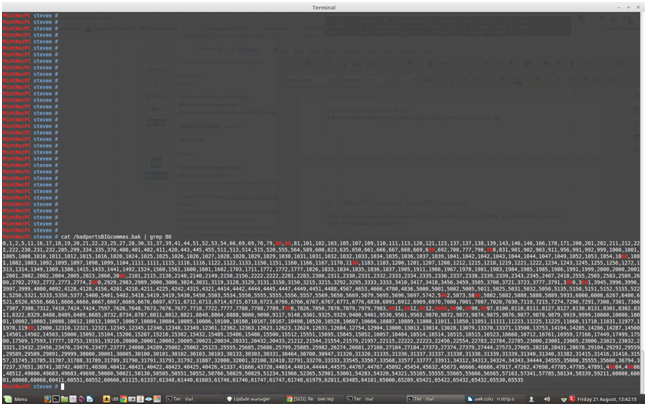
Let's check that command works for white space delimited words from his original example:
vi /abc.txt
This is is how it works buddy
What else else you want
sed -ri 's/(.* )1/1/g' /abc.txt
This is is how it works buddy
What else else you want
Nope.
This turned out to be another monumental search for such a seemingly simple operation! It may have to be done with a script containing many tools?
Best read the info page:
info sed
It may have been better to remove dupes before the comma addition operation too¦
However, it gave a chance to learn some sed format commands from my UNIX:DB book, to see how this stream editor works, and maybe find out why that command above is flawed. Options that can be used with sed include:
i inserts before a line
a appends after a line
c changes line
d deletes line
p prints line STDOUT
q quits after reading up to addressed line
r fname places content of filename
= prints line number addressed
s/s1/s2/ Subtitutes string s1 by string s2
y/s1/s2 Transforms characters in line by mapping each char in s1 with its counterpart in s2
Now you can see what the example above is driving at in that substitution.
sed evolved from earlier Unix text editors, ed, then ex, that use an address space context to id lines, so for the 2 line example in /abc.txt, you can show the whole file like cat would:
HPMint stevee # sed '2q' /abc.txt
This is is how it works buddy
What else else you want
Where q is a quit after outputting number of requested lines, or p to print out.
This is similar to:
HPMint stevee # head -1 /abc.txt
This is is how it works buddy
HPMint stevee # tail -1 /abc.txt
What else else you want
HPMint stevee # more -1 /abc.txt
This is is how it works buddy
--More--(55%)
or the initial cursor position for the line number in vim:
HPMint stevee # vi +1 /abc.txt
But, a major difference is sed outputs its operation and operants to STDOUT by default, so will show the lines to be operated on, as well as the result, so print them again if the p option is used, so you get line doubling for output e.g:
HPMint stevee # sed 'p' /abc.txt
This is is how it works buddy
This is is how it works buddy
What else else you want
What else else you want
To negate this, use the -n number switch with no address to id a specific line, so showing the whole file, up to max buffer memory:
HPMint stevee # sed -n 'p' /abc.txt
This is is how it works buddy
What else else you want
The line addressing format shows now in:
HPMint stevee # sed -n '1p' /abc.txt
This is is how it works buddy
HPMint stevee # sed -n '2p' /abc.txt
What else else you want
sed also responds to the NOT command "!" which gives the negative of the above line 1 address, showing line 2 instead or vice versa e.g:
HPMint stevee # sed -n '1!p' /abc.txt
What else else you want
HPMint stevee # sed -n '2!p' /abc.txt
This is is how it works buddy
So, what about the initial example to replace s1 with s2 for the "else" word?
Can it be understood now from the above research? I still need to know the meaning of the "." which I think, from a long time ago, means any single character? So, any single char followed by ANY other combination of none or all chars, because the * is included...?
His example was:
sed -ri 's/(.* )1/1/g' /abc.txt
From the man page:
s/regexp/replacement/
Attempt to match regexp against the pattern space. If successful, replace that portion matched with replacement. The replacement may contain the special character & to refer to that portion of the pattern space which matched, and the special escapes \1 through \9 to refer to the corresponding matching sub-expressions in the regexp.
It looks to me like another "programmer" type dude NOT checking his work again...
The subexpression \1-9 mentioned there seems to be what he means, but he left out the backslashes! The g is for a global flag so the substitution affects all instances of the character in the addressed line.
Now it works, but not exactly, as it seems to have removed a "d" from "buddy" also, but first, from no change with the missing slashes, to the desired outcome:
HPMint stevee # sed -ri 's/(.*)1/1/g' /abc.txt
HPMint stevee # cat /abc.txt
This is is how it works buddy
What else else you want
HPMint stevee # sed -ri 's/(.*)\1/\1/g' /abc.txt
HPMint stevee # cat /abc.txt
This is how it works budy
What else you want
A missing d also in buddy! I'll just repeat that to see if it does it again, with a ? to show it's my text:
HPMint stevee # cat /abc.txt
This is is how it works buddy
What else else you want?
HPMint stevee # cat /abc.txt
This is how it works budy
What else you want?
Well, it removed one "else" and one "is", so I assume the \1\1 removes 1 of 2 repeated regular expressions in ANY defined string on all lines due to the global "g".
Seems he could have confined it to a line at a time, say, 2 addressing, from what's been learned so far - ah! like this! (Smartass!)
HPMint stevee # sed -ri '2s/(.*)\1/\1/g' /abc.txt
HPMint stevee # cat /abc.txt
This is how it works buddy
What else you want?
Still, his example was the best I found all day for this type of operation, until reading my book at home, and I have still not found anything this simple to remove numbers in a CSV, single line file, which is what I need here.
So, my nostalgic £5 spent on Sumitabha Das' UNIX:DB book has paid off after all. I hope he gives a number substitution example.
If I need to change the commas to something else first, to get back to a column view so other tools like "tr" may work more easily with lines, another sed example for changing chars in all lines in a file, say a ";" for a "," for the ports file /badports.csv:
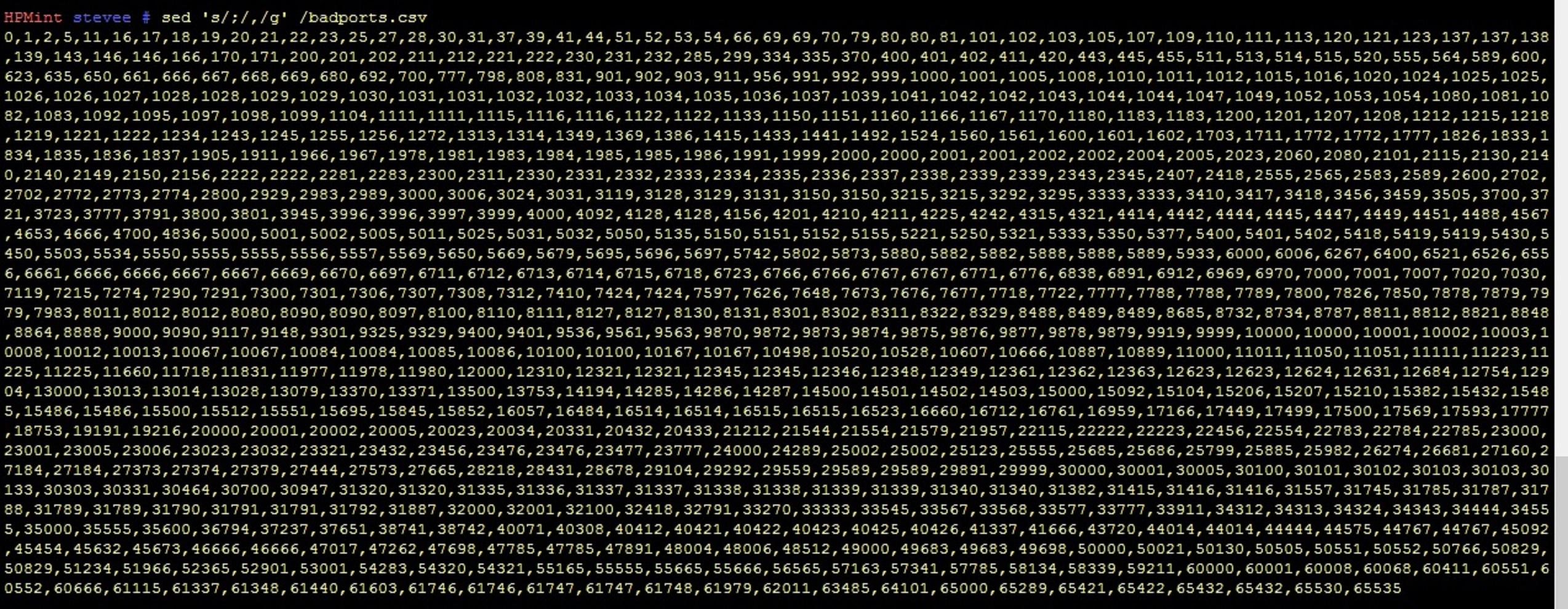
sed 's/,/;/g' /badports.csv
this changes all commas to semicolons:
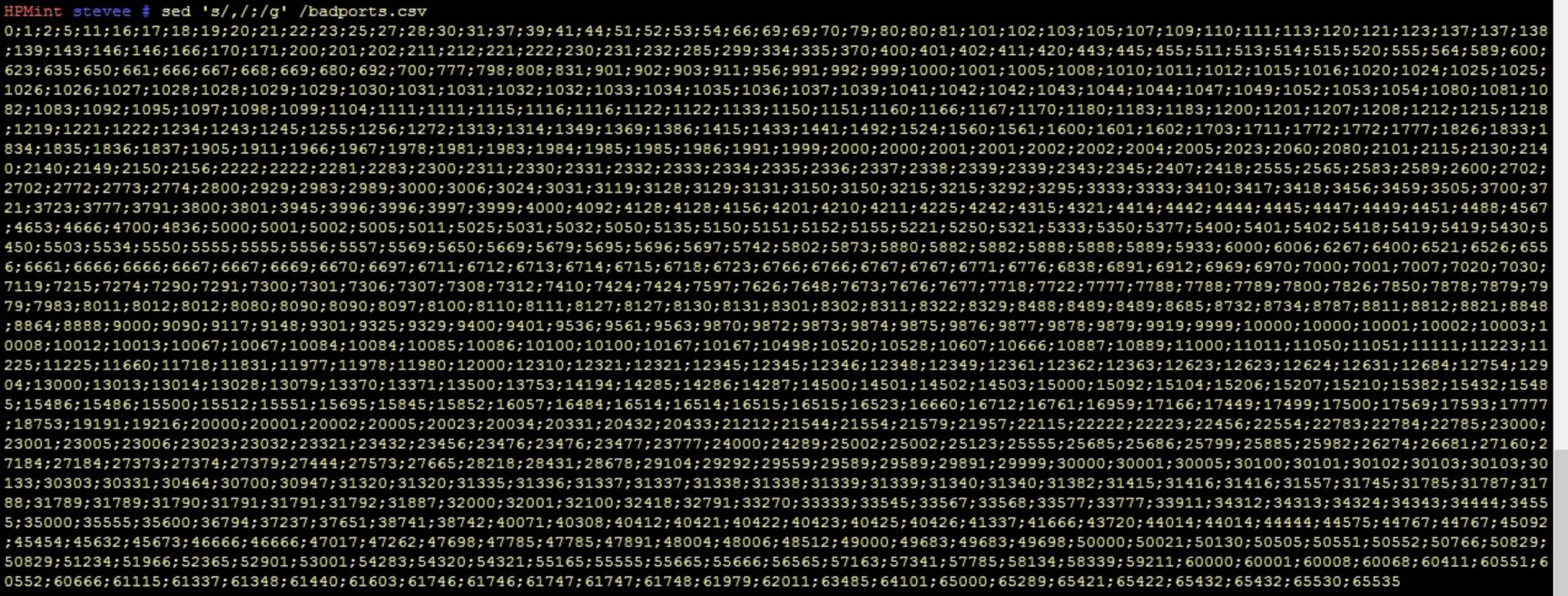
Wish it was that easy for the dupe numbers...
So, I should be able to reverse the very first column to commas example above, by replacing all commas (or semicolons now) with newlines (\n) using that eh?
Yep!
65432
65432
65530
65535
Sorted! As you might say...
Now that is back how it was originally in column format, does uniq work to remove the dupe numbers? Seems so! My test dupe, 61746 from above does not show twice if grepped.
HPMint stevee # cat /badportscolumnreal.txt | uniq | grep 61746
61746
Lets make the file, finally, with no dupe numbers:
cat /badportscolumnreal.txt | uniq > /badportscolumn.txt
Check for only 1 port 80 too:
HPMint stevee # cat /badportscolumn.txt | grep 80
80
680
Finally, convert this back to a CSV, changing the awk line from above to reflect a single column:
cat /badportscolumn.txt | awk -vORS=, '{ print $1 }' | sed 's/,$/\n/'
Note this leaves a trailing comma:
65432,65530,65535,
Once the extra blank last line I missed in the original file was fixed, there is no comma trail:
65432,65530,65535
HPMint stevee # cat /badportscolumn.txt | awk -vORS=, '{ print $0 }' | sed 's/,$/\n/'
I'm still confused here (it doesn't take much!), as I thought the 2nd arg replaced the first in sed? This appears that newlines should be replacing commas here, but they are not and it's working?
Hmm - look at which stage does what in order - first cat, which gives the column listing:
65432
65530
65535
HPMint stevee # cat /badportscolumn.txt
Then with awk, you get the commas, still with one trailing, even though the original column file last blank line has been fixed - either $0 or $1 will do:
65432,65530,65535,HPMint stevee # cat /badportscolumn.txt | awk -vORS=, '{ print $1 }'
With sed added, it removes the last comma - so that is where the new line is replacing the final comma ONLY:
65000,65289,65421,65422,65432,65530,65535
HPMint stevee # cat /badportscolumn.txt | awk -vORS=, '{ print $1 }' | sed 's/,$/\n/'
Could sed alone have done this column to commas substitution in the first place? It's not been easy to find how because of the different ways Carriage Returns and Line Feeds are handled, but this example placed a comma at each line end:
https://www.canbike.org/information-technology/sed-delete-carriage-returns-and-linefeeds-crlf.html
sed 's/$/,/g' /badportscolumn.txt
So sed combined with cut can do all required from the start, except remove the final comma:
cut -d " " -f2 BadPortsBig.txt | sed 's/$/,/g'
Note this uses the BASH command line operator "$" to signify the "end of line" last character (as ^ is the first line char), i.e. just as both
grep "^" /etc/passwd
grep "$" /etc/passwd
would print any whole file, as every line has to have a first and last character in it, so all lines would be found in both cases!
Anyway, this still leaves the final comma problem. Not a real issue for my current task, as the port list has to be pasted to nmap anyway, as there is no easy way to include the port list after nmap's -p switch.
65422,
65432,
65530,
65535,
So, for pedantic completeness, the 2nd complex loop example works:
where:
:a  - create a label 'a'
N   - append the next line to the pattern space
$!  - if not the last line
ba  - branch (go to) label 'a'
s   - substitute
/\n/     - regex for new line
/<text>/ - with text "<text>"
g   - global match (as many times as it can)
sed ':a;N;$!ba;s/\n/,/g' /badportscolumn.txt
65422,65432,65530,65535
In total then, from the first file, to last removed comma, use:
cut -d " " -f2 BadPortsBig.txt | sed ':a;N;$!ba;s/\n/,/g'
The filter "tr" can do the bulk it the most easily from the start.
man tr
NAME
tr - translate or delete characters
SYNOPSIS
tr [OPTION]... SET1 [SET2]
DESCRIPTION
Translate, squeeze, and/or delete characters from standard input, writ
ing to standard output.
-c, -C, --complement
use the complement of SET1
-d, --delete
delete characters in SET1, do not translate
-s, --squeeze-repeats
replace each input sequence of a repeated character that is
listed in SET1 with a single occurrence of that character
-t, --truncate-set1
first truncate SET1 to length of SET2
--help display this help and exit
--version
output version information and exit
The format is as simple as can be, with the 2nd expression replacing the first:
cat /badportscolumn.txt
65432
65530
65535
tr '\n' ',' < /badportscolumn.txt
61747,61748,61979,62011,63485,64101,65000,65289,65421,65422,65432,65530,65535,
Note the trailing comma, but how easy is that in one go?!
An instant column to CSV file conversion!
To save this output as a file you need to feed STDOUT into text file as usual e.g :
tr '\n' ',' < /badportscolumn.txt > /badportsTR.txt
cat /badportsTR.txt
65530,65535,HPMint stevee # cat /badportsTR.txt
Each first and second argument can have multiple chars separated by the | pipe in each apostrophe pair, each mapping to its position counterpart e.g. a to c and b to d, so c replaces a, and d replaces b :
cat /TRfile.txt
abaabbaaabbb
cdccddcccdd
tr 'a|b' 'c|d' < /TRfile.txt
cdccddcccddd
cdccddcccddd
You see all 2nd arguments - c and d - replaced all first arguments - a and b.
Another example from the man page:
-d, --delete
delete characters in SET1, do not translate
This should just remove the first line of a's and b's - only for 1 set at a time:
cat /TRfile.txt
abaabbaaabbb
cdccddcccddd
HPMint stevee # tr -d 'a|b' < /TRfile.txt
cdccddcccddd
or vice versa for 1 set only:
tr -d 'c|d' < /TRfile.txt
abaabbaaabbb
or more chars:
HPMint stevee #tr -d 'a|b|c' < /TRfile.txt
dddddd
SUMMARY - the one liner's from start to finish for this problem:
cut -d " " -f2 badportsbig.txt | sed ':a;N;$!ba;s/\n/,/g'
awk '{print $2}' badportsbig.txt | sed ':a;N;$!ba;s/\n/,/g'
And to scan the ports:
awk '{print $2}' badportsbig.txt | uniq > ports.txt
nmap -p $(echo `cat ports.txt`)
O_Reilly_-_sed___awk_2nd_Edition.pdf
Awk as a programming tool using contents of {} as a "script":
awk -F: '{print $0 }' /etc/passwd
Sed as an editor using a search and replace function:
sed 's/:/:/' /etc/passwd