
avconv -i /xxx.mov -c:v copy -c:a copy /xxx.avi
I am just scratching the surface of this in Mint, but want to document a working procedure for a handful of video file formats that worked for me to convert a .mov (Apple iPlayer/Quick Time et al) to some different others, that played in both Mint and Windows.
I ran through this list of common types to see what worked - only 4 of the 15 converted and ran, with the Real Media format looking ok, but I don't have the codecs on Mint or Windows to check it, but its file size indicates its ok - any failures produce red text, and a very small file - 0-28kB in size:
| Video Files | |
| .3g2 | 3GPP2 Multimedia File |
| .3gp | 3GPP Multimedia File |
| .asf | Advanced Systems Format File |
| .asx | Microsoft ASF Redirector File |
| .avi | Audio Video Interleave File |
| .flv | Flash Video File |
| .m4v | iTunes Video File |
| .mov | Apple QuickTime Movie |
| .mp4 | MPEG-4 Video File |
| .mpg | MPEG Video File |
| .rm | Real Media File |
| .srt | SubRip Subtitle File |
| .swf | Shockwave Flash Movie |
| .vob | DVD Video Object File |
| .wmv | Windows Media Video File |
I had an old college Production course media file I did in Apple Logic that was produced in a .mov format that I tested with this line:
avconv -i /home/stevee/Downloads/Pandorum_Trailer_StevesVersion.mov -c:v copy -c:a copy /home/stevee/Downloads/Pandorum_Trailer_StevesVersion.asf
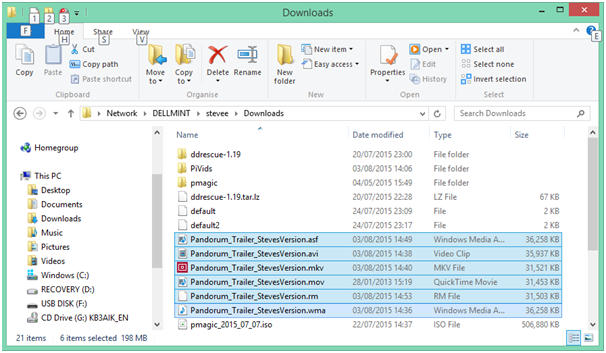
This produced 6 files of similar size to the original, 5 test as working with correctly sync'd sound and video in Mint's Video app, and Windows Media Player:
The original video I did - if you're interested - was an old college project to produce a trailer from a film, with a different sound track, of which I chose the Pandorum film (quite good film actually - if into Sci Fi like me): you can view it here:
As you see above, some of the file sizes are greater than the original, and no doubt there are many options for compression in avconv - which I believe replaces ffmpeg now? - if you look in the man page:
DESCRIPTION
avconv is a very fast video and audio converter that can also grab from a live audio/video
source. It can also convert between arbitrary sample rates and resize video on the fly with a
high quality polyphase filter...
It is incredibly fast - that 32MB .mov file takes less than 2 seconds to convert to the other types!
Later, researching Pi Cam surveillance stuff, I tried another conversion to .H264, which is a binary format, so has to be wrapped in a Divx codec to be viewable as I understood it (but since found out it is raw viewable by VLC/others), and on the Divx site, it states the compression of H264 is about half of mpg for the same quality, and my converted file shows a size of only 10MB from the 32MB original movie, so probably worked.
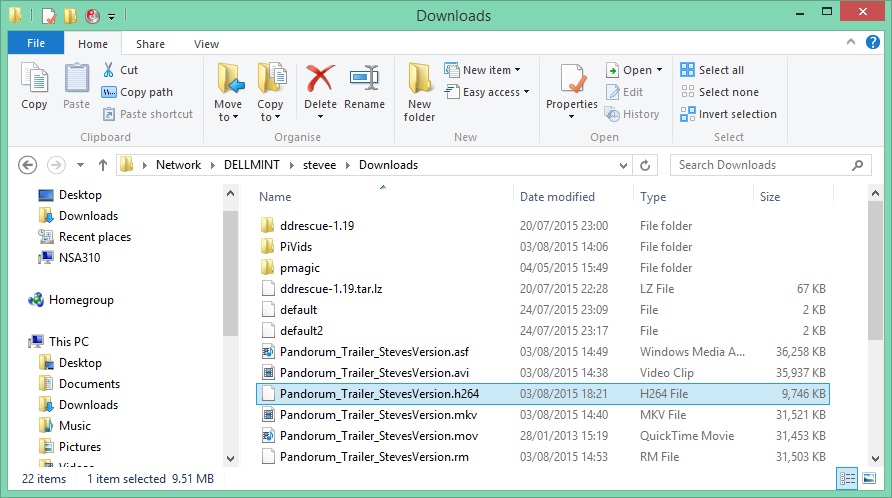
I'm getting Divx 10 now to try viewing it in Win8, whilst installing;
apt-get install mplayer divxenc
to see if it becomes viewable in Mint also.
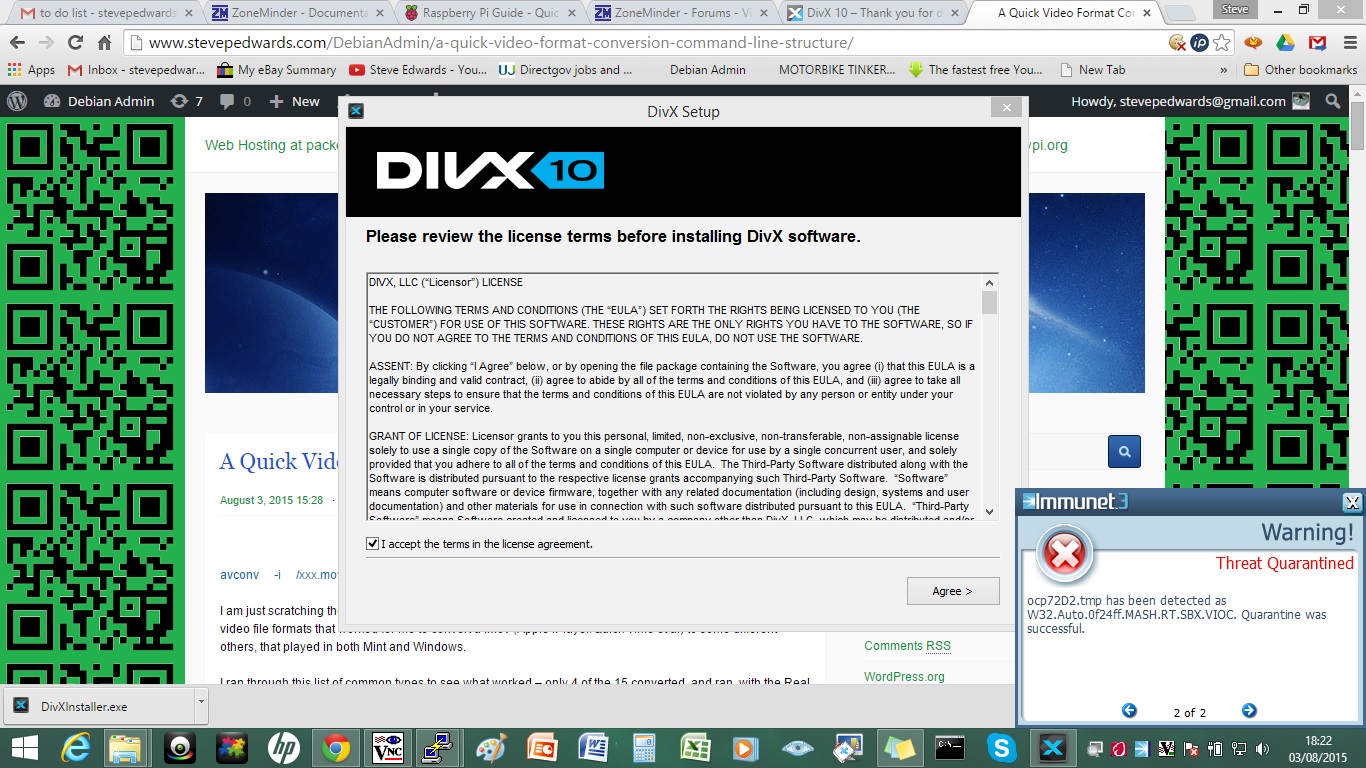
The divx.com site DL of Divx10 gives a worrying Immunet quarantine on install of this App though, and it's not worth it anyway, as it does not convert or view h264 files directly, and is a 15 day trail only - pile of corporate shite...can't even keep their own files clean...:
Unfortunately mplayer can't view raw h264 either, so I need an App to codec wrap it in.
I already tried copying h264 files to the Pi, to try to use its own binary that it shows its "hello.." range of vids with - but of course, they're compiled for an ARM7 platform, not an Intel/AMD OS so I assume, won't work after copying across.
The original video conversion would have to be done on the Pi first I guess, but avconv is not available to get in Debian Apt, only ffmpeg, which uses the same command mostly it seems, so worth a try, but you need to read the man page as the options are more involved - but didn't work for me anyway.
-target type
Specify target file type ("vcd", "svcd", "dvd", "dv", "dv50", "pal-
vcd", "ntsc-svcd", ... ). All the format options (bitrate, codecs,
buffer sizes) are then set automatically. You can just type:
ffmpeg -i myfile.avi -target vcd /tmp/vcd.mpg
Nevertheless you can specify additional options as long as you know
they do not conflict with the standard, as in:
ffmpeg -i myfile.avi -target vcd -bf 2 /tmp/vcd.mpg
That's not working for me, but at least the h.264 test video I made and ran for the Pi camera test is working using the Pi binary:
raspivid -o /Share/PiTestVid.h264
root@pi:/opt/vc/src/hello_pi/hello_video# ./hello_video.bin PiTestVid.h264
The quality of the Pi cam is excellent - HD.
If you want to get into A/V processing, the man pages for both ffmpeg on the Pi, and avconv in Mint are full of info, and you can see by the start of each they were the same, but avconv has gone into tech overdrive with complex multi-stream filters and god know what else...to see how many of each format and codec they are compatible with, try
ffmpeg -formats
ffmpeg -codecs
avconv -formats
avconv -codecs
Looks like VLC can convert h264 or convert h264 to mp4 using Miro from the Web, say here:
https://www.mediaplayerlite.net/h264-player/
ALWAYS virus scan your downloads before unpacking/opening/installing - almost everything "free" on the web now is riddled with shit - that one included.
VLC is another possible - open source and "clean" for Immunet.
https://get.videolan.org/vlc/2.2.1/win64/vlc-2.2.1-win64.exe
You would think there is a straight h264 capable reader somewhere eh? Without having to do a conversion first...or at least on that does it on the fly...? More research...
Ah, ok, VLC does it - my prior conversion must have failed, as VLC would not allow it to open, but the Pi h264 I created with raspivid was copied over from the Pi and dropped into the VLC screen and played without having to convert. This shows I was wrong on both assumptions above - the binary file created on the Pi (ARM7 arch.) will still play on another PC - obvious really as the industry format dictates that; and the first conversion of the Pando trailer from .mov to h264 of 10MB in size must be wrong also.
If anyone has any illusions that the technicalities of A/V technology are easy to deal with, watch Monty Montgomery's vids I found in my valve amp repair days!
A/V primer:
https://xiph.org/video/vid1.shtml
4/8/15
I just ran this on the Pi to convert an h264 to mp4 which worked and viewable in Media Player:
avconv -r 30 -i myvid.h264 -vcodec copy myvid.mp4

Then again on that MP4 file to make a .mov that also worked. It failed to go again to an .avi, but could make one from the original .h264

avconv -r 30 -i /PiShare/pythonpi1.h264 -vcodec copy /PiShare/pythonpi1.avi