
Chapter 8 describes additional control statements. Included are while, break, and continue. The switch statement is discussed in detail.
while loop example:
#include <stdio.h>
int total; /* total of all the numbers */
int current; /* current value from the user */
int counter; /* while loop counter */
char line[80]; /* Line from keyboard */
int main() {
total = 0;
counter = 0;
while (counter < 5) {
printf("Number? ");
fgets(line, sizeof(line), stdin);
sscanf(line, "%d", ¤t);
total += current;
++counter;
}
printf("The grand total is %d\n", total);
return (0);
}
$ ./total
Number? 1
Number? 2
Number? 3
Number? 4
Number? 5
The grand total is 15
Same with for loop:
#include <stdio.h>
int total;
/* total of all the numbers */
int current; /* current value from the user */
int counter; /* for loop counter */
char line[80]; /* Input from keyboard */
int main() {
total = 0;
for (counter = 0; counter < 5; ++counter) /*value of counter, starts 0 but is 4 at end of this loop */
{
printf("Number? "); /*user prompt*/
fgets(line, sizeof(line), stdin);
sscanf(line, "%d", ¤t);
total += current; /* running total starting at 0; user input current number is added to it each loop*/
}
printf("The grand total is %d\n", total); /*total sum of all inputs at end of loop 5*/
return (0);
}
Note that counter goes from to 4. Ordinarily, you count five items as 1, 2, 3, 4, 5; but you will perform much better in C if you change your thinking to zero -based counting and then count five items as 0, 1, 2, 3, 4. (One-based counting is one of the main ca uses of array overflow errors.
Similarities between "while" and "for":

Question 8-1 : When Example 8 -3 runs, it prints:
Celsius:101 Fahrenheit:213 and nothing more. Why?
/*cent.c*/
#include <stdio.h>
/** This program produces a Celsius to Fahrenheit conversion
*chart for the numbers 0 to 100.*/
/* The current Celsius temperature we are working with */
int celsius;
int main()
{
for (celsius = 0; celsius <= 100; ++celsius);
printf("Celsius:%d Fahrenheit:%d\n", celsius, (celsius * 9) / 5 + 32);
return (0);
}
/*centdebug.c*/
#include <stdio.h>
/** This program produces a Celsius to Fahrenheit conversion
*chart for the numbers 0 to 100.*/
/* The current Celsius temperature we are working with */
int celsius;
int main()
{
for (celsius = 0; celsius <= 100; ++celsius)
{ /*WAS MISSING { so did not loop*/
printf("Celsius:%d ", celsius); /* debug printf to check initial celsius value */
printf("Fcalcd:%d ", (celsius * 9) / 5 + 32); /* debug printf to check integer division 0/5=0 */
printf("Celsius:%d Fahrenheit:%d\n", celsius, (celsius * 9) / 5 + 32);
} /* WAS MISSING } */
return (0);
}
$ ./centdebug
Celsius:0 Fcalcd:32 Celsius:0 Fahrenheit:32
Celsius:1 Fcalcd:33 Celsius:1 Fahrenheit:33
Celsius:2 Fcalcd:35 Celsius:2 Fahrenheit:35
Celsius:3 Fcalcd:37 Celsius:3 Fahrenheit:37
Celsius:4 Fcalcd:39 Celsius:4 Fahrenheit:39
Celsius:5 Fcalcd:41 Celsius:5 Fahrenheit:41
Celsius:6 Fcalcd:42 Celsius:6 Fahrenheit:42
Celsius:7 Fcalcd:44 Celsius:7 Fahrenheit:44
Celsius:8 Fcalcd:46 Celsius:8 Fahrenheit:46
Celsius:9 Fcalcd:48 Celsius:9 Fahrenheit:48
Celsius:10 Fcalcd:50 Celsius:10 Fahrenheit:50
Celsius:11 Fcalcd:51 Celsius:11 Fahrenheit:51
Celsius:12 Fcalcd:53 Celsius:12 Fahrenheit:53
Celsius:13 Fcalcd:55 Celsius:13 Fahrenheit:55
Celsius:14 Fcalcd:57 Celsius:14 Fahrenheit:57
Celsius:15 Fcalcd:59 Celsius:15 Fahrenheit:59
Celsius:16 Fcalcd:60 Celsius:16 Fahrenheit:60
Celsius:17 Fcalcd:62 Celsius:17 Fahrenheit:62
Celsius:18 Fcalcd:64 Celsius:18 Fahrenheit:64
Celsius:19 Fcalcd:66 Celsius:19 Fahrenheit:66
Celsius:20 Fcalcd:68 Celsius:20 Fahrenheit:68
Celsius:21 Fcalcd:69 Celsius:21 Fahrenheit:69
Celsius:22 Fcalcd:71 Celsius:22 Fahrenheit:71
Celsius:23 Fcalcd:73 Celsius:23 Fahrenheit:73
Celsius:24 Fcalcd:75 Celsius:24 Fahrenheit:75
Celsius:25 Fcalcd:77 Celsius:25 Fahrenheit:77
Celsius:26 Fcalcd:78 Celsius:26 Fahrenheit:78
Celsius:27 Fcalcd:80 Celsius:27 Fahrenheit:80
Celsius:28 Fcalcd:82 Celsius:28 Fahrenheit:82
Celsius:29 Fcalcd:84 Celsius:29 Fahrenheit:84
Celsius:30 Fcalcd:86 Celsius:30 Fahrenheit:86
Celsius:31 Fcalcd:87 Celsius:31 Fahrenheit:87
Celsius:32 Fcalcd:89 Celsius:32 Fahrenheit:89
Celsius:33 Fcalcd:91 Celsius:33 Fahrenheit:91
Celsius:34 Fcalcd:93 Celsius:34 Fahrenheit:93
Celsius:35 Fcalcd:95 Celsius:35 Fahrenheit:95
Celsius:36 Fcalcd:96 Celsius:36 Fahrenheit:96
Celsius:37 Fcalcd:98 Celsius:37 Fahrenheit:98
Celsius:38 Fcalcd:100 Celsius:38 Fahrenheit:100
Celsius:39 Fcalcd:102 Celsius:39 Fahrenheit:102
Celsius:40 Fcalcd:104 Celsius:40 Fahrenheit:104
Celsius:41 Fcalcd:105 Celsius:41 Fahrenheit:105
Celsius:42 Fcalcd:107 Celsius:42 Fahrenheit:107
Celsius:43 Fcalcd:109 Celsius:43 Fahrenheit:109
Celsius:44 Fcalcd:111 Celsius:44 Fahrenheit:111
Celsius:45 Fcalcd:113 Celsius:45 Fahrenheit:113
Celsius:46 Fcalcd:114 Celsius:46 Fahrenheit:114
Celsius:47 Fcalcd:116 Celsius:47 Fahrenheit:116
Celsius:48 Fcalcd:118 Celsius:48 Fahrenheit:118
Celsius:49 Fcalcd:120 Celsius:49 Fahrenheit:120
Celsius:50 Fcalcd:122 Celsius:50 Fahrenheit:122
Celsius:51 Fcalcd:123 Celsius:51 Fahrenheit:123
Celsius:52 Fcalcd:125 Celsius:52 Fahrenheit:125
Celsius:53 Fcalcd:127 Celsius:53 Fahrenheit:127
Celsius:54 Fcalcd:129 Celsius:54 Fahrenheit:129
Celsius:55 Fcalcd:131 Celsius:55 Fahrenheit:131
Celsius:56 Fcalcd:132 Celsius:56 Fahrenheit:132
Celsius:57 Fcalcd:134 Celsius:57 Fahrenheit:134
Celsius:58 Fcalcd:136 Celsius:58 Fahrenheit:136
Celsius:59 Fcalcd:138 Celsius:59 Fahrenheit:138
Celsius:60 Fcalcd:140 Celsius:60 Fahrenheit:140
Celsius:61 Fcalcd:141 Celsius:61 Fahrenheit:141
Celsius:62 Fcalcd:143 Celsius:62 Fahrenheit:143
Celsius:63 Fcalcd:145 Celsius:63 Fahrenheit:145
Celsius:64 Fcalcd:147 Celsius:64 Fahrenheit:147
Celsius:65 Fcalcd:149 Celsius:65 Fahrenheit:149
Celsius:66 Fcalcd:150 Celsius:66 Fahrenheit:150
Celsius:67 Fcalcd:152 Celsius:67 Fahrenheit:152
Celsius:68 Fcalcd:154 Celsius:68 Fahrenheit:154
Celsius:69 Fcalcd:156 Celsius:69 Fahrenheit:156
Celsius:70 Fcalcd:158 Celsius:70 Fahrenheit:158
Celsius:71 Fcalcd:159 Celsius:71 Fahrenheit:159
Celsius:72 Fcalcd:161 Celsius:72 Fahrenheit:161
Celsius:73 Fcalcd:163 Celsius:73 Fahrenheit:163
Celsius:74 Fcalcd:165 Celsius:74 Fahrenheit:165
Celsius:75 Fcalcd:167 Celsius:75 Fahrenheit:167
Celsius:76 Fcalcd:168 Celsius:76 Fahrenheit:168
Celsius:77 Fcalcd:170 Celsius:77 Fahrenheit:170
Celsius:78 Fcalcd:172 Celsius:78 Fahrenheit:172
Celsius:79 Fcalcd:174 Celsius:79 Fahrenheit:174
Celsius:80 Fcalcd:176 Celsius:80 Fahrenheit:176
Celsius:81 Fcalcd:177 Celsius:81 Fahrenheit:177
Celsius:82 Fcalcd:179 Celsius:82 Fahrenheit:179
Celsius:83 Fcalcd:181 Celsius:83 Fahrenheit:181
Celsius:84 Fcalcd:183 Celsius:84 Fahrenheit:183
Celsius:85 Fcalcd:185 Celsius:85 Fahrenheit:185
Celsius:86 Fcalcd:186 Celsius:86 Fahrenheit:186
Celsius:87 Fcalcd:188 Celsius:87 Fahrenheit:188
Celsius:88 Fcalcd:190 Celsius:88 Fahrenheit:190
Celsius:89 Fcalcd:192 Celsius:89 Fahrenheit:192
Celsius:90 Fcalcd:194 Celsius:90 Fahrenheit:194
Celsius:91 Fcalcd:195 Celsius:91 Fahrenheit:195
Celsius:92 Fcalcd:197 Celsius:92 Fahrenheit:197
Celsius:93 Fcalcd:199 Celsius:93 Fahrenheit:199
Celsius:94 Fcalcd:201 Celsius:94 Fahrenheit:201
Celsius:95 Fcalcd:203 Celsius:95 Fahrenheit:203
Celsius:96 Fcalcd:204 Celsius:96 Fahrenheit:204
Celsius:97 Fcalcd:206 Celsius:97 Fahrenheit:206
Celsius:98 Fcalcd:208 Celsius:98 Fahrenheit:208
Celsius:99 Fcalcd:210 Celsius:99 Fahrenheit:210
Celsius:100 Fcalcd:212 Celsius:100 Fahrenheit:212
Seven.c
/*seven.c*/
#include <stdio.h>
char line[100]; /* line of input */
int seven_count; /* number of 7s in the data */
int data[5]; /* the data to count 3 and 7 in */
int three_count; /* the number of 3s in the data */
int index; /* index into the data */
int main()
{
seven_count = 0;
three_count = 0;
printf("Enter 5 numbers\n");
fgets(line, sizeof(line), stdin);
sscanf(line, "%d %d %d %d %d", &data[1], &data[2], &data[3], &data[4], &data[5]);
for (index = 1; index <= 5; ++index)
{
if (data[index] == 3)
++three_count;
if (data[index] == 7)
++seven_count;
}
printf("Threes %d Sevens %d\n",three_count, seven_count);
return (0);
}
When we run this program with the data 3 7 3 0 2, the results are:
Threes 4 Sevens 1
(Your results may vary.)
When run:
$ gcc -o seven seven.c
seven.c:7:5: warning: built-in function ˜index, declared as non-function [enabled by default]
int index; /* index into the data */
^
stevee@AMDA8 ~/Cprogs/calc1 $ ./seven
Enter 5 numbers
37302
Threes 0 Sevens 0
WHY? Data array starts at 0 not 1, so first digit 3 goes into array 0; 7 in1; 3 in 2; 0 in 3; 2 in 4; \n in 5...leaving no room for \0?
&data[1], &data[2], &data[3], &data[4], &data[5]);
7 3 0 2 \n
Using printf("1=%d,2=%d,3=%d,4=%d,5=%d", data[1],data[2],data[3],data[4],data[5]); to see what data is actually going into each array, I used a debug idea:
/*sevendebug.c*/
#include <stdio.h>
char line[100]; /* line of input */
int seven_count; /* number of 7s in the data */
int data[5]; /* the data to count 3 and 7 in */
int three_count; /* the number of 3s in the data */
int index; /* index into the data */
int main()
{
seven_count = 0;
three_count = 0;
printf("Enter 5 numbers\n");
fgets(line, sizeof(line), stdin);
sscanf(line, "%d %d %d %d %d", &data[1], &data[2], &data[3], &data[4], &data[5]);
for (index = 1; index <= 5; ++index)
{
printf("D1=%d, D2=%d, D3=%d, D4=%d, D5=%d\n", data[1],data[2],data[3],data[4],data[5]);
if (data[index] == 3)
++three_count;
if (data[index] == 7)
++seven_count;
}
printf("Threes %d Sevens %d\n",three_count, seven_count);
return (0);
}
This output:
$ ./sevendebug
Enter 5 numbers
33333
D1=33333, D2=0, D3=0, D4=0, D5=0
D1=33333, D2=0, D3=0, D4=0, D5=0
D1=33333, D2=0, D3=0, D4=0, D5=0
D1=33333, D2=0, D3=0, D4=0, D5=0
D1=33333, D2=0, D3=0, D4=0, D5=0
Threes 0 Sevens 0
stevee@AMDA8 ~/Cprogs/calc1 $ ./sevendebug
Enter 5 numbers
77777
D1=77777, D2=0, D3=0, D4=0, D5=0
D1=77777, D2=0, D3=0, D4=0, D5=0
D1=77777, D2=0, D3=0, D4=0, D5=0
D1=77777, D2=0, D3=0, D4=0, D5=0
D1=77777, D2=0, D3=0, D4=0, D5=0
Threes 0 Sevens 0
It seems all the numbers are going into one index array at the first loop only, not a separate array for each digit, so the loop reads 0s only after the first go. It also shows that the 3 and 7 counters CAN'T work either if all 3s or 7s are input, as there is not a single digit, but 5 in D1 only.
It's to do with space separation of the input chars to stop them all going into array 0 only¦but not what he meant in the PDF re "index <= 5" etc. as this gcc vers works with that AND the incorrect array values 1-5, for 0-4!
/*5sevendebug.c*/
#include <stdio.h>
char line[100]; /* line of input */
int seven_count; /* number of 7s in the data */
int data[5]; /* the data to count 3 and 7 in */
int three_count; /* the number of 3s in the data */
int index; /* index into the data */
int main()
{
seven_count = 0;
three_count = 0;
printf("Enter 5 SPACE SEPARATED single digits!!\n");
fgets(line, sizeof(line), stdin);
sscanf(line, "%d %d %d %d %d", &data[1], &data[2], &data[3], &data[4], &data[5]);
for (index = 1; index <= 5; ++index)
{
printf("D1=%d, D2=%d, D3=%d, D4=%d, D5=%d\n", data[1],data[2],data[3],data[4],data[5]);
if (data[index] == 3)
++three_count;
if (data[index] == 7)
++seven_count;
}
printf("Threes %d Sevens %d\n",three_count, seven_count);
return (0);
}
$ ./sevendebug
Enter 5 SPACE SEPARATED single digits!!
3 3 3 7 7
D1=3, D2=3, D3=3, D4=7, D5=7
D1=3, D2=3, D3=3, D4=7, D5=7
D1=3, D2=3, D3=3, D4=7, D5=7
D1=3, D2=3, D3=3, D4=7, D5=7
D1=3, D2=3, D3=3, D4=7, D5=7
Threes 3 Sevens
When run with his original 3 7 3 0 2, I get the right answer don't know what he's on about results may vary... Why? it works!! Made me think about it I guess...and the spaced input was used in the triangle width height example.
The switch statement is similar to a chain of if/else statements. The general form of a switch statement is:
switch
( expression
case
) {
constant1 :
statement
. . . .
break ;
case
constant2 :
statement
. . . .
/* Fall through */
default:
statement
. . . .
break ;
case
constant3 :
statement
. . . .
break ;
}
The switch statement evaluates the value of an expression and branches to one of the case labels. Duplicate labels are not allowed, so only one case will be selected.
The expression must evaluate an integer, character, or enumeration.
The case labels can be in any order and must be constants. The default label can be put anywhere in the switch. No two case labels can have the same value.
When C sees a switch statement, it evaluates the expression and then looks for a matching case label. If none is found, the default label is used. If no default is found, the statement does nothing.
if (operator == '+') {
result += value;
} else if (operator == '-') {
result -= value;
} else if (operator == '*') {
result *= value;
} else if (operator == '/') {
if (value == 0) {
printf("Error:Divide by zero\n");
printf("
operation ignored\n");
} else
result /= value;
}
else {
printf("Unknown operator %c\n", operator);
}
This section of code can easily be rewritten as a switch statement. In this switch , we use a different case for each operation. The default clause takes care of all the illegal operators.
Rewriting our program using a switch statement makes it not only simpler, but
easier to read. Our revised calc program is shown:
/*calc3.c*/
#include <stdio.h>
char line[100]; /* line of text from input */
int result; /* the result of the calculations */
char operator; /* operator the user specified */
int value; /* value specified after the operator */
int main()
{
result = 0; /* initialize the result */
/* loop forever (or until break reached) */
while (1)
{
printf("Result: %d\n", result);
printf("Enter operator and number: ");
fgets(line, sizeof(line), stdin);
sscanf(line, "%c %d", &operator, &value);
if ((operator == 'q') || (operator == 'Q'))
break;
switch (operator)
{
case '+':
result += value;
break;
case '-':
result -= value;
break;
case '*':
result *= value;
break;
case '/':
if (value == 0)
{
printf("Error:Divide by zero\n");
printf("operation ignored\n");
}
else
result /= value;
break;
default:
printf("Unknown operator %c\n", operator);
break;
}
}
return (0);
}

$ ./calc3
Result: 0
Enter operator and number: +1
Result: 1
Enter operator and number: *5
Result: 5
Enter operator and number: -2
Result: 3
Enter operator and number: /1
Result: 3
Enter operator and number: +1.5 FLOATS NOT WORKING CORRECTLY YET...
Result: 4
Enter operator and number: Q
You cannot determine if the program is supposed
to fall through from case 0 to case 1, or if the programmer forgot to put in a break
statement. In order to clear up this confusion, a case section should always end
with a break statement or the comment /* Fall through */, as shown in the
following example:
/* a better example of programming */
switch (control) {
case 0:
printf("Reset\n");
/* Fall through */
case 1:
printf("Initializing\n");
break;
case 2:
printf("Working\n");
}
Because case 2 is last, it doesn't need a break statement. A break would cause the program to skip to the end of the switch, and we're already there.
If we always put in a break statement, we don't have to worry about whether or not it is really needed.
/* Almost there */
switch (control) {
case 0:
printf("Reset\n");
/* Fall through */
case 1:
printf("Initializing\n");
break;
case 2:
printf("Working\n");
break;
}
Finally, we ask the question: what happens when control == 5? In this case,
because no matching case or default clause exists, the entire switch statement is
skipped.
In this example, the programmer did not include a default statement because
control will never be anything but 0, 1, or 2. However, variables can get assigned
strange values, so we need a little more defensive programming, as shown in the
following example:
/* The final version */
switch (control) {
case 0:
printf("Reset\n");
/* Fall through */
case 1:
printf("Initializing\n");
break;
case 2:
printf("Working\n");
break;
default:
printf(
"Internal error, control value (%d) impossible\n",
control);
break;
}
Although a default is not required, it should be put in every switch. Even though the default may be:
default:
/* Do nothing */
break;
it should be included. This method indicates, at the very least, that you want to ignore out-of-range data.
switch, break, and continue
The break statement has two uses. Used inside a switch , break causes the program to go to the end of the switch.
Inside a for or while loop, break causes a loop exit. The continue statement is valid only inside a loop.
Continue will cause the program to go to the top of the loop. Figure 8-2 illustrates both continue and break inside a switch statement.
The program in Figure 8 -2 is designed to convert an integer with a number of different formats into different bases. If you want to know the value of an octal number, you would enter o ( for octal) and the number. The command q is used to quit the program. For example:
Enter conversion and number: o 55
Result is 45
Enter conversion and number: q

Debug these typos copied from above good practise to write out..:
/*converter.c*/
#include <stdio.h>
int number; /* number to convert */
char type; /* conversion type to do */
char line[80]; /* Line from keyboard */
int main()
{
while {1}
printf("Enter Conversion and Number: ");
fgets(line, sizeof(line), stdin);
sscanf(line, "%c", &type);
if {(type == q || type == Q)}
break;
switch (type)
{
case 'o':
case 'O': /*Octal conv*/
sscanf(line, "%c %o", &type, &number);
break;
case 'x':
case 'X': /*Hex conv*/
sscanf(line, "%c %x", &type, &number);
break;
case 'd':
case 'D': /*Decimal conv */
sscanf(line, "%c %d", &type, &number);
break;
case '?':
case 'h': /* Help */
printf("Letter Conversion\n ");
printf(" o Octal\n ");
printf(" x Hex\n ");
printf(" d Dec\n ");
printf(" q Quit prog\n ");
/*Dont print the number*/
continue;
default:
printf("Type ? or h for help\n");
/*Dont print the number*/
continue;
}
printf("Result is: %d\n", number);
return (0);
}
Working Code:

Basic Test Plan for Converter.c:
a) Enter all valid options in order of cases with same test number = o 11 (=dec9); x 11 (=dec17); d 11 (=dec11).
b) Check Help: ?/h/H
c) Check continue function of the switch ignores non option input chars i.e. NOT qoxdh?QOXDH
d) Test exit: q,Q, CtrlC
$ ./converter
Enter Conversion and [SPACE] Number: o 11
Result is: 9
Enter Conversion and [SPACE] Number: x 11
Result is: 17
Enter Conversion and [SPACE] Number: d 11
Result is: 11
Enter Conversion and [SPACE] Number: ?
Letter Conversion
o Octal
x Hex
d Dec
q Quit prog
Enter Conversion and [SPACE] Number: h
Letter Conversion
o Octal
x Hex
d Dec
q Quit prog
Enter Conversion and [SPACE] Number: q
stevee@AMDA8 ~/Cprogs/calc1 $ ./converter
Enter Conversion and [SPACE] Number: d dgwdf
Result is: 0
Enter Conversion and [SPACE] Number: s 12
Type ? or h for help
Enter Conversion and [SPACE] Number: w
Type ? or h for help
Enter Conversion and [SPACE] Number: d
Result is: 0
Enter Conversion and [SPACE] Number: j
Type ? or h for help
Exercise 8-1 : Print a **&&^$$ e.g:
/*lines*/
#include <stdio.h>
int main()
{
printf("+-------+\n");
printf("+-------+\n" );
printf("+-------+\n");
printf("+-------+\n");
return (0);
}
$ ./lines
+-------+
+-------+
+-------+
+-------+
Exercise 8-2 : The total resistance of n resistors in parallel is: 1/R=1/r1 + 1/r2...
Suppose we have a network of two resistors with the values 400 and 200.
Then our equation would be: 1/R=1/200 + 1/400
Substituting in the value of the resistors we get: 1/R = 1/(0.005 + 0.0025) = 1/0.0075 = 133.3...
So the total resistance of our two-resistor network is 133.3.
Write a program to compute the total resistance for any number of parallel resistors.
/*parallel resistors.c - a prog to calculate 2 resistors in parallel
/*that can handle decimal points to 2 places*/
#include <stdio.h>
float R1; /*variable resistor 1 input*/
float R2; /*variable resistor 2 input*/
char line1[10]; /*user input 1 values*/
char line2[10]; /*user input 2 values*/
float result; /*calculation result*/
int main()
{
printf("Enter R1 value: ");
fgets(line1, sizeof(line1), stdin);
sscanf(line1, "%f", &R1 );
printf("Enter R2 value: ");
fgets(line2, sizeof(line2), stdin);
sscanf(line2, "%f", &R2 );
result = 1/((1.0 / R1) + (1.0 / R2));
printf("The result is %0.2f\n", result); /*float answer needs some dec places to account for 1.3 recurring*/
return (0);
}
$ ./resistors
Enter R1 value: 400
Enter R2 value: 200
The result is 133.33
Now it can be amended for function complexity for 2+ inputs...
maybe using the prior calc.c code, as infinite input options are required and an IFELSE break, with an invalid input warning.
int value;
/*calc.c**/
#include <stdio.h>
char line[100];/* line of data from the input */
int result;
char operator; /* operator the user specified */
int value;
/* the result of the calculations */
/* value specified after the operator */
int main()
{
result = 0; /* initialize the result */
/* Loop forever (or till we hit the break statement) */
while (1)
{
printf("Result: %d\n", result);
printf("Enter + and resistor value: ");
fgets(line, sizeof(line), stdin);
sscanf(line, "%c %d", &operator, &value);
if (operator == '+')
{
result += value;
}
else
{
printf("Unknown operator %c\n", operator);
}
}
}
Working Program:
/*parallel resistors.c by steve edwards: calculates summing parallel resistor values
including correct first solo series resistor value. The hardest part of the logic was
placing a mechanism for the running current total for the initial resistor value to
give it's correct series value before the further addition of more in parallel that
then inverts and adds the extra values! */
#include <stdio.h>
char line[100]; /* line of data from the input */
float Rtot; /* running total of all added resistor values */
float value; /*first entered resistor value*/
char operator; /* operator the user specified */
float result; /* inverse running total of all added resistor values */
int main()
{
/* Loop forever (or til we hit the break statement) */
while (1)
{
printf("Enter + and resistor value or q to quit: ");
fgets(line, sizeof(line), stdin);
sscanf(line, "%c %f", &operator, &value);
printf("Resistor value entered: %f\n", value);
printf("Inverse resistor value is: %0.3f\n", 1/value);
if (operator == '+')
{
result = 1.0 / value + Rtot;
Rtot = 1/result;
printf("Total parallel circuit resistance is now: %0.3f\n ", Rtot);
Rtot = 1/Rtot;
}
else
{
printf("Unknown operator %c\n", operator);
}
if (operator == 'q' || operator == 'Q')
{
break;
}
}
return (0);
}
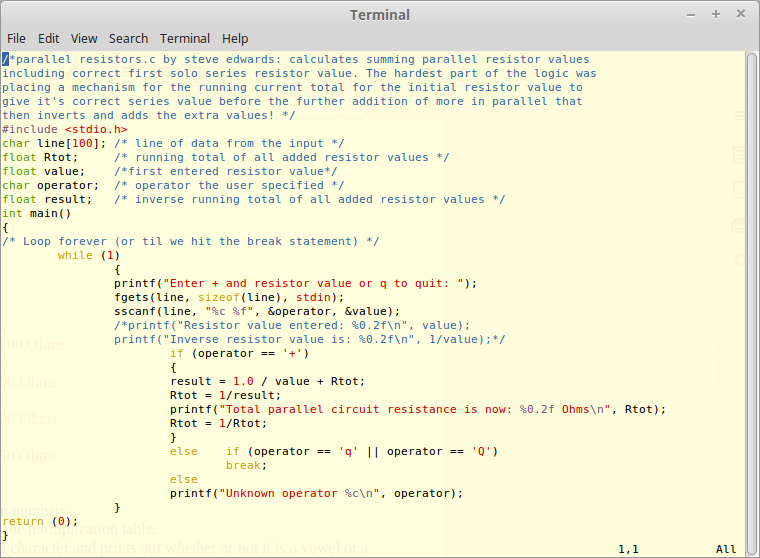
Had to stop printfs repeating after quit break with comments.
$ ./parallelresistors
Enter + and resistor value or q to quit: +100
Total parallel circuit resistance is now: 100.00 Ohms
Enter + and resistor value or q to quit: +100
Total parallel circuit resistance is now: 50.00 Ohms
Enter + and resistor value or q to quit: +50
Total parallel circuit resistance is now: 25.00 Ohms
Enter + and resistor value or q to quit: +25
Total parallel circuit resistance is now: 12.50 Ohms
Enter + and resistor value or q to quit: q
Exercise 8-3 : Write a program to average n numbers.
I amended the parallel resistors code to write running total and averages. Interestingly, it shows 2 linear sequences for 1+2+3...with the averages increasing by 0.5 each time.
/*avgnumbers.c amended from parallelres prog*/
#include <stdio.h>
float avg; /*average of all input values*/
int counter; /*number of input loops so number of numbers for avg*/
char line[100]; /* line of data from the input */
float Rtot; /* running total of all added values */
float value; /*entered value*/
char operator; /* operator the user specified */
float result; /* running total of all added values */
int main()
{
/* Loop forever (or til we hit the break statement) */
counter = 0; /*initialise counter*/
Rtot = 0; /*initialise Rtot*/
while (1)
{
printf("Enter + and number value or q to quit: ");
fgets(line, sizeof(line), stdin);
sscanf(line, "%c %f", &operator, &value);
++counter; /*counts loops, so number of user inputs*/
if (operator == '+')
{
Rtot = value + Rtot; /*Rtot is 0 to start*/
printf("Total sum of numbers is now: %0.2f \n", Rtot);
avg = Rtot/counter;
printf("Avg of numbers is now: %0.2f \n", avg);
}
else if (operator == 'q' || operator == 'Q')
break;
else
printf("Unknown operator %c\n", operator);
}
return (0);
}
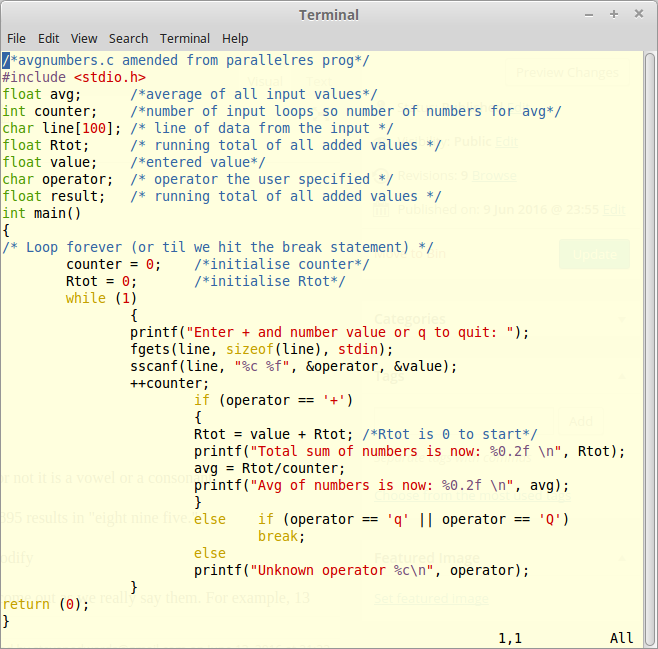
$ ./avgnumbers
Enter + and number value or q to quit: +1
Total sum of numbers is now: 1.00
Avg of numbers is now: 1.00
Enter + and number value or q to quit: +2
Total sum of numbers is now: 3.00
Avg of numbers is now: 1.50
Enter + and number value or q to quit: +3
Total sum of numbers is now: 6.00
Avg of numbers is now: 2.00
Enter + and number value or q to quit: +4
Total sum of numbers is now: 10.00
Avg of numbers is now: 2.50
Enter + and number value or q to quit: +5
Total sum of numbers is now: 15.00
Avg of numbers is now: 3.00
Enter + and number value or q to quit: +6
Total sum of numbers is now: 21.00
Avg of numbers is now: 3.50
Enter + and number value or q to quit: +7
Total sum of numbers is now: 28.00
Avg of numbers is now: 4.00
Enter + and number value or q to quit: +8
Total sum of numbers is now: 36.00
Avg of numbers is now: 4.50
Enter + and number value or q to quit: +9
Total sum of numbers is now: 45.00
Avg of numbers is now: 5.00
Enter + and number value or q to quit: +10
Total sum of numbers is now: 55.00
Avg of numbers is now: 5.50
Enter + and number value or q to quit: +11
Total sum of numbers is now: 66.00
Avg of numbers is now: 6.00
Enter + and number value or q to quit: q
A simpler program is to edit the total2.c prog to use the loop counter itself, which is quite cool, and use it as the dividend for the total:
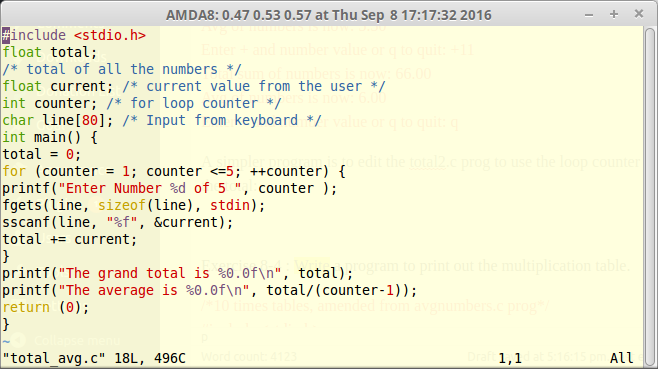
./total_avg
Enter Number 1 of 5 1
Enter Number 2 of 5 2
Enter Number 3 of 5 3
Enter Number 4 of 5 4
Enter Number 5 of 5 5
The grand total is 15
The average is 3
./total_avg
Enter Number 1 of 5 2
Enter Number 2 of 5 4
Enter Number 3 of 5 6
Enter Number 4 of 5 8
Enter Number 5 of 5 10
The grand total is 30
The average is 6
Just have to expand it to a while loop that runs until quit so takes up to n numbers..
Exercise 8-4 : Write a program to print out the multiplication table.
/*10 times tables, amended from avgnumbers.c prog*/
#include <stdio.h>
int counter; /*number of input loops so number of numbers for avg*/
char line[100]; /* line of data from the input */
float value; /*entered value*/
float result; /* result of multiplication */
int main()
{
counter = 0; /*initialise counter*/
printf("Enter number to timestable x 10: ");
fgets(line, sizeof(line), stdin);
sscanf(line, "%f", &value);
while (counter <=10) /* Loop 10 times */
{
result = counter * value;
printf("%d X %f is: %0.2f \n", counter, value, result );
++counter; /*counts loops*/
}
return (0);
}
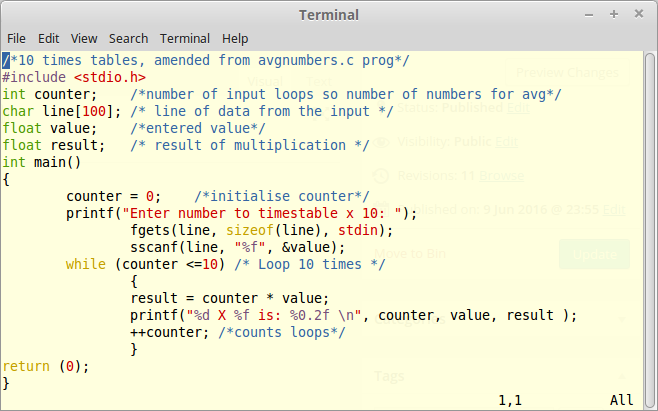
$ ./tables
Enter number to timestable x 10: 1
0 X 1.000000 is: 0.00
1 X 1.000000 is: 1.00
2 X 1.000000 is: 2.00
3 X 1.000000 is: 3.00
4 X 1.000000 is: 4.00
5 X 1.000000 is: 5.00
6 X 1.000000 is: 6.00
7 X 1.000000 is: 7.00
8 X 1.000000 is: 8.00
9 X 1.000000 is: 9.00
10 X 1.000000 is: 10.00
$ ./tables
Enter number to timestable x 10: 1.414213562
0 X 1.414214 is: 0.00
1 X 1.414214 is: 1.41
2 X 1.414214 is: 2.83
3 X 1.414214 is: 4.24
4 X 1.414214 is: 5.66
5 X 1.414214 is: 7.07
6 X 1.414214 is: 8.49
7 X 1.414214 is: 9.90
8 X 1.414214 is: 11.31
9 X 1.414214 is: 12.73
10 X 1.414214 is: 14.14
Exercise 8 -5 : Write a program that reads a character and prints out whether or not it is a vowel or a consonant.
*vowels.c amended from avgnumbers.c prog*/
#include <stdio.h>
char line[100]; /* line of data from the input */
char operator; /* operator the user specified */
int main()
{
/* Loop forever (or til we hit the break statement) */
while (1)
{
printf("Enter a lowercase letter, or ! to quit: ");
fgets(line, sizeof(line), stdin);
sscanf(line, "%c", &operator);
if (operator == '!')
break;
else if (operator == 'a' || operator == 'e' || operator =='i' || operator == 'o' || operator == 'u')
printf("%c is a vowel \n", operator);
else
printf("%c is a consonant or other char \n", operator);
}
return (0);
}
$ ./vowels
Enter a lowercase letter, or ! to quit: a
a is a vowel
Enter a lowercase letter, or ! to quit: e
e is a vowel
Enter a lowercase letter, or ! to quit: i
i is a vowel
Enter a lowercase letter, or ! to quit: o
o is a vowel
Enter a lowercase letter, or ! to quit: u
u is a vowel
Enter a lowercase letter, or ! to quit: q
q is a consonant or other char
Enter a lowercase letter, or ! to quit: 1
1 is a consonant or other char
Enter a lowercase letter, or ! to quit: !
Exercise 8-6: Write a program that converts numbers to words. For example, 895 results in "eight nine five."
Exercise 8-7: The number 85 is pronounced "eighty-five," not "eight five." Modify
the previous program to handle the numbers through 100 so that all numbers come out as we really say them. For example, 13 would be "thirteen" and 100 would be "one hundred."
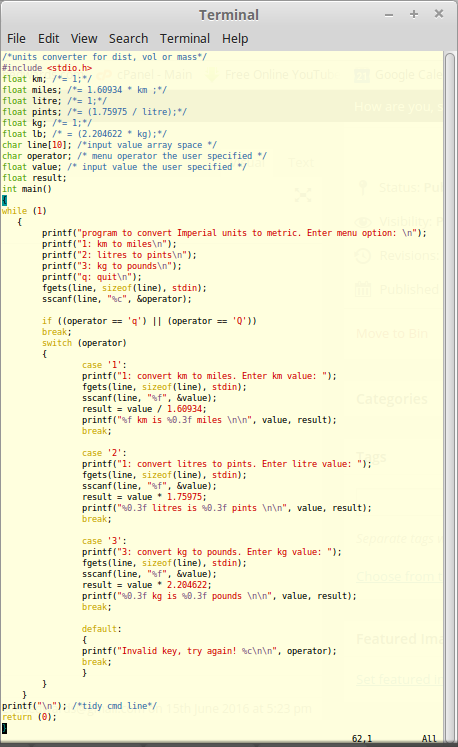
Exercise 6xx with switch - program to convert metric to Imperial units:
/*units converter for dist, vol or mass*/
#include <stdio.h>
float km; /*= 1;*/
float miles; /*= 1.60934 * km ;*/
float litre; /*= 1;*/
float pints; /*= (1.75975 / litre);*/
float kg; /*= 1;*/
float lb; /* = (2.204622 / kg);*/
char line[10]; /*input value array space */
char operator; /* menu operator the user specified */
float value; /* input value the user specified */
float result;
int main()
{
while (1)
{
printf("program to convert Imperial units to metric. Enter menu option: \n");
printf("1: km to miles\n");
printf("2: litres to pints\n");
printf("3: kg to pounds\n");
printf("q: quit\n");
fgets(line, sizeof(line), stdin);
sscanf(line, "%c", &operator);
if ((operator == 'q') || (operator == 'Q'))
break;
switch (operator)
{
case '1':
printf("1: convert km to miles. Enter km value: ");
fgets(line, sizeof(line), stdin);
sscanf(line, "%f", &value);
result = value / 1.60934;
printf("%f km is %0.3f miles \n\n", value, result);
break;
case '2':
printf("1: convert litres to pints. Enter litre value: ");
fgets(line, sizeof(line), stdin);
sscanf(line, "%f", &value);
result = value * 1.75975;
printf("%0.3f litres is %0.3f pints \n\n", value, result);
break;
case '3':
printf("3: convert kg to pounds. Enter kg value: ");
fgets(line, sizeof(line), stdin);
sscanf(line, "%f", &value);
result = value * 2.204622;
printf("%0.3f kg is %0.3f pounds \n\n", value, result);
break;
default:
{
printf("Invalid key, try again! %c\n\n", operator);
break;
}
}
}
printf("\n"); /*tidy cmd line*/
return (0);
}
$ ./unitsconverter
program to convert Imperial units to metric. Enter menu option:
1: km to miles
2: litres to pints
3: kg to pounds
q: quit
1
1: convert km to miles. Enter km value: 1
1.000000 km is 0.621 miles
program to convert Imperial units to metric. Enter menu option:
1: km to miles
2: litres to pints
3: kg to pounds
q: quit
2
1: convert litres to pints. Enter litre value: 1
1.000 litres is 1.760 pints
program to convert Imperial units to metric. Enter menu option:
1: km to miles
2: litres to pints
3: kg to pounds
q: quit
3
3: convert kg to pounds. Enter kg value: 1
1.000 kg is 2.205 pounds
program to convert Imperial units to metric. Enter menu option:
1: km to miles
2: litres to pints
3: kg to pounds
q: quit
w
Invalid key, try again! w
program to convert Imperial units to metric. Enter menu option:
1: km to miles
2: litres to pints
3: kg to pounds
q: quit
q
** added extra gallon value to switch 2 - useful for bike tanks!
gallons = result/8;
printf("%0.3f litres is %0.3f pints or %0.3f gallons\n\n", value, result, gallons );
This shows my XJ900 fuel tank off 22 litres about right:
$ ./unitsconverter
program to convert Imperial units to metric. Enter menu option:
1: km to miles
2: litres to pints
3: kg to pounds
q: quit
2
1: convert litres to pints. Enter litre value: 22
22.000 litres is 38.715 pints or 4.839 gallons
Jeez! I weigh in at:
3: convert kg to pounds. Enter kg value: 90
90.000 kg is 198.416 pounds in US measures...fat bastard!