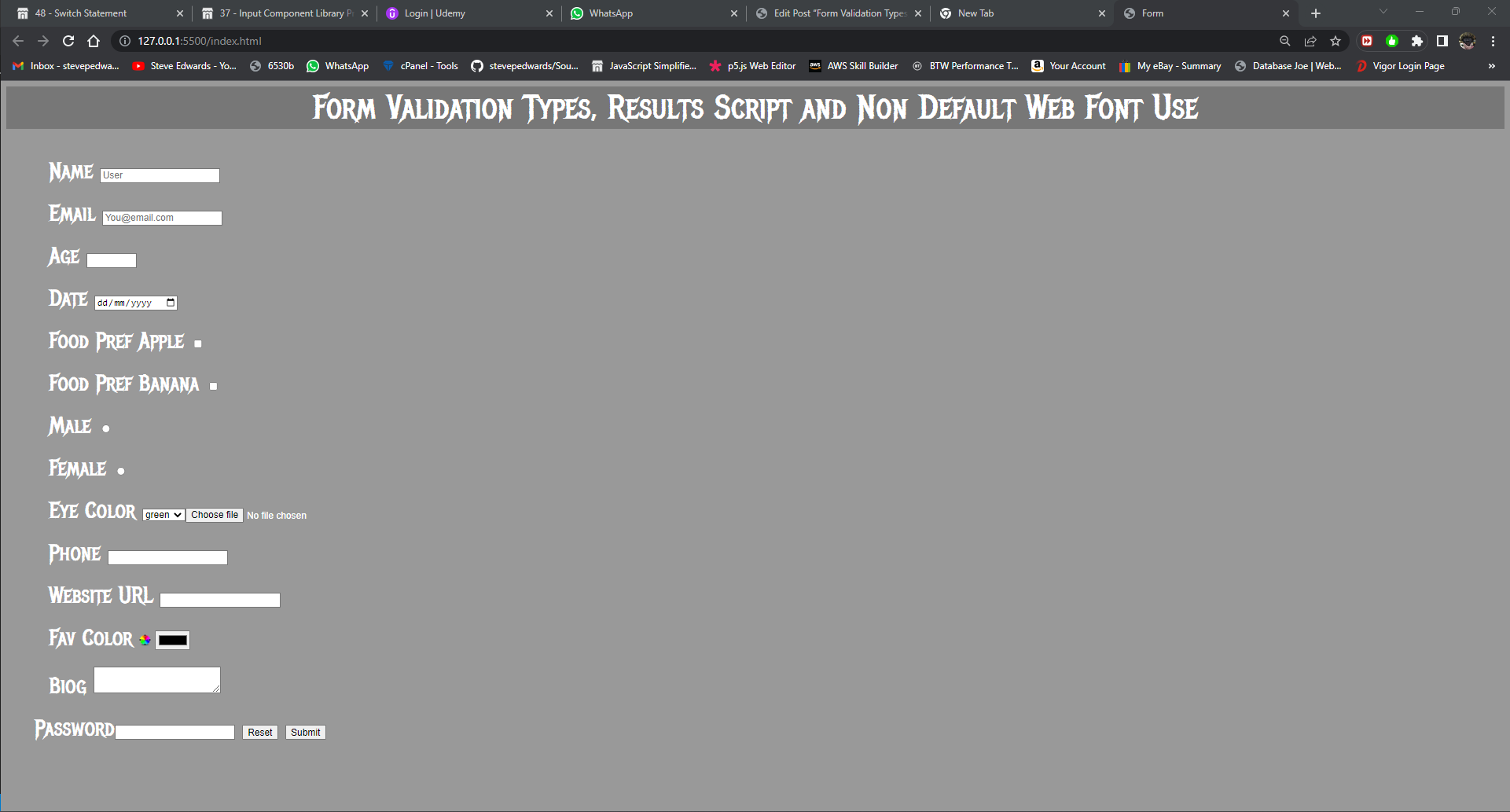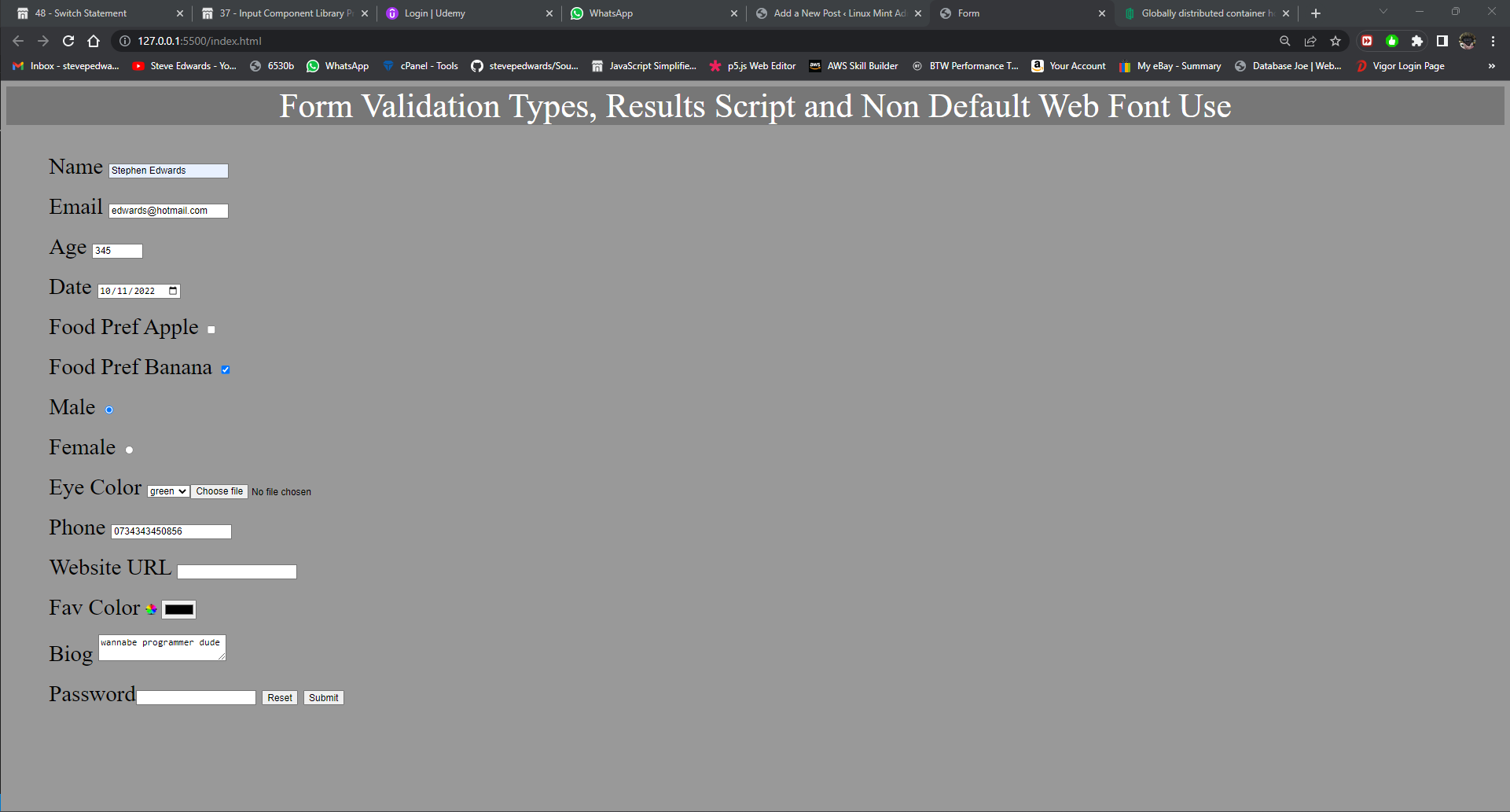
From one of Kyle Cook's YT vids, showing the various types of input forms that can be used in an HTML page and styled with CSS.
He also includes a results.html page for logging the data to that outputs in text:
name : Stephen Edwards
email : edwards@hotmail.com
age : 150
date : 2022-11-10
Banana : on
sex : on
eyeColor : green
file :
phone : 0734343450856
url : https://localhost
color : #ffffff
bio : wannabe programmer dude
password : asdfsaf
email : edwards@hotmail.com
age : 150
date : 2022-11-10
Banana : on
sex : on
eyeColor : green
file :
phone : 0734343450856
url : https://localhost
color : #ffffff
bio : wannabe programmer dude
password : asdfsaf
HTML:
<!DOCTYPE html>
<html lang="en">
<head>
    <meta charset="UTF-8">
    <meta http-equiv="X-UA-Compatible" content="IE=edge">
    <meta name="viewport" content="width=device-width, initial-scale=1.0">
    <title>Form</title>
    <link rel="stylesheet" href="styles.css"/>
</head>
<body>
    <div class="header-text">
    <header>Form Validation Types, Results Script and Non Default Web Font Use</header>
    </div>

    <section class="section">
        <form action="results.html" method="GET" enctype="multipart/form-data">

            <div class="name">
                <label for="name">Name</label>
                <input type="text" name="name" id = "name" required placeholder="User">
            </div>

            <div class="email">
                <label for="email" class="email-text">Email</label>
                <input type="email" name="email" id="email" required placeholder="You@email.com">
            </div>

            <div class="age">
                <label for="age">Age</label>
                <input type="number" name="age" id="age" required min="1" max="150" step="1">
            </div>

            <div class="date">
                <label for="date">Date</label>
                <input type="date" name="date" id="date" min="1950-01-01">
            </div>
            <div class="food">Food Pref
                <label for="apple">Apple</label>
                <input type="checkbox" name="apple" id="apple" id="apple">
            </div>

            <div class="food">Food Pref
                <label for="apple">Banana</label>
                <input type="checkbox" name="Banana" id="Banana" id="Banana">
            </div>

            <div class="sex">
                <label for="male">Male</label>
                <input type="radio" name="sex" id="male" id="male">
            </div>

            <div class="sex">
                <label for="female">Female</label>
                <input type="radio" name="sex" id="female" id="female">
            </div>

            <div class="eyecolor">
                <label for="eyeColor">Eye Color</label>
                <select name="eyeColor" id="eyeColor" id="eyeColor" >
                <option value="green">green</option>
                <option label="blue" value="blue"></option>
                <option label="brown" value="brown"></option>
            </div>

            <div class="file">
                <label for="file">File</label>
                <input id="file" type="file" name="file">
            </div>

            <div class="phone">
            <label for="Phone">Phone</label>
                <input  type="tel" name="phone" id="phone">
            </div>

            <div class="url">
            <label for="url">Website URL</label>
                <input  type="url" name="url" id="url">
            </div>

            <div class="fav-color">
            <label for="color">Fav Color</label>
                <input  type="color" name="color" id="color">
            </div>

            <div class="biog">
                <label for="bio">Biog</label>
                <textarea id="bio" name="bio"></textarea>
            </div>

            <div class="password">
                <label>Password<input type="current-password" name="password"></label>
                <button type="reset">Reset</button>
                <button type="submit">Submit</button>
            </div>
        </form>
    </section>
</body>
</html>
CSS:
@import url("https://fonts.googleapis.com/css?family=Metal+Mania");

/* latin - you need both selectors @ff and body for local fontface*/
@font-face {
    font-family: "MetalMania-Regular.ttf";
    font-weight: 400;
    src: url("MetalMania-Regular.ttf");
    unicode-range: U+0000-00FF, U+0131, U+0152-0153, U+02BB-02BC, U+02C6, U+02DA, U+02DC, U+2000-206F, U+2074, U+20AC, U+2122, U+2191, U+2193, U+2212, U+2215, U+FEFF, U+FFFD;
  }

* {
    box-sizing: border-box;
}


body {
    font-family: "MetalMania-Regular.ttf";
    background-color: #999;
    /* color: white; */
    /* text-align: left; */

}

.section {
    margin: 40px;
    font-size: 2em;
}
.header-text {
    color: white;
    background-color: #777;
    font-size: 3em;
    /* when inside the div */
    text-align: center;
}

.name {
    margin: 20px;
}

.email {
    margin: 20px;
}

.age {
    margin: 20px;
}

.date {
    margin: 20px;
}

.food {
    margin: 20px;
}

.sex    {
    margin: 20px;
}

.eyecolor    {
    margin: 20px;
}

.file    {
    margin: 20px;
}

.phone    {
    margin: 20px;
}

.url    {
    margin: 20px;
}

.fav-color   {
    margin: 20px;
}

.biog  {
    margin: 20px;
}

.biog  {
    margin: 20px;
}
Results page HTML:
<!DOCTYPE html>
<html lang="en">
<head>
    <meta charset="UTF-8">
    <meta http-equiv="X-UA-Compatible" content="IE=edge">
    <meta name="viewport" content="width=device-width, initial-scale=1.0">
    <title>Results</title>
</head>
<body>
    <div id="results"></div>
    <a href="index.html">Back to Form</a>
    <script>
        const resultsList = document.getElementById('results')
        new URLSearchParams(window.location.search).forEach((value, name) => {
            resultsList.append(`${name} : ${value}` )
            resultsList.append(document.createElement('br'))
            })
    </script>
</body>
</html>
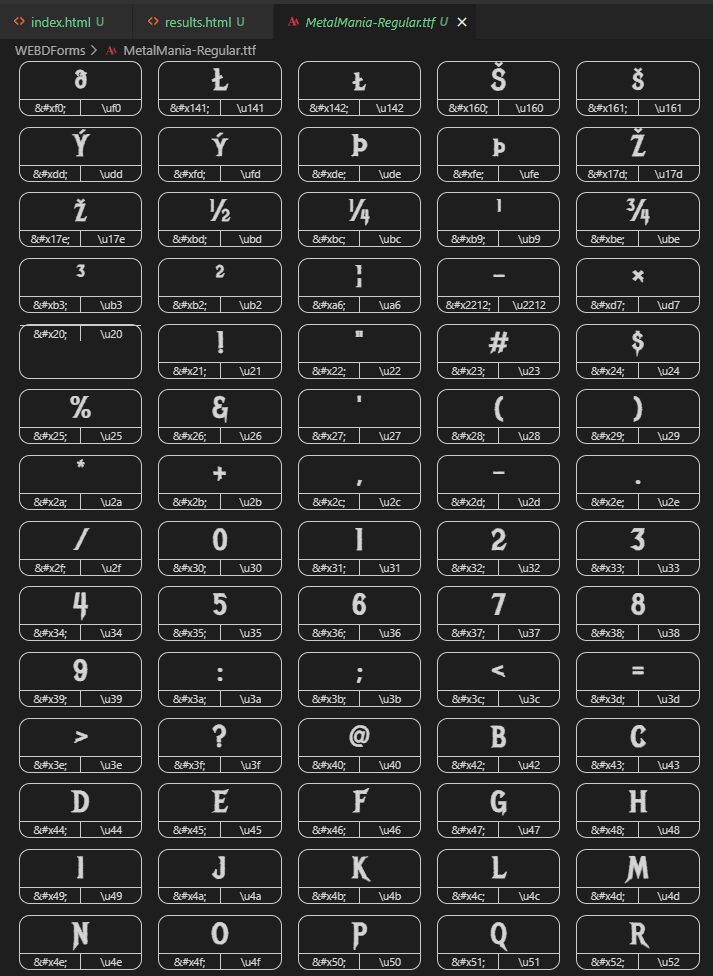
The CSS code required for using non default fonts downloaded from the web is commented out in the CSS - but important to know what selectors are needed for a DL'd, so local font to work, and what the binary looks like if converted in VS Code using "iconfont-preview" extension by super-txr:
@import url("https://fonts.googleapis.com/css?family=Metal+Mania");

/* latin - you need both selectors @ff and body for local fontface*/
@font-face {
    font-family: "MetalMania-Regular.ttf";
    font-weight: 400;
    src: url("MetalMania-Regular.ttf");
    unicode-range: U+0000-00FF, U+0131, U+0152-0153, U+02BB-02BC, U+02C6, U+02DA, U+02DC, U+2000-206F, U+2074, U+20AC, U+2122, U+2191, U+2193, U+2212, U+2215, U+FEFF, U+FFFD;
  }

* {
    box-sizing: border-box;
}


body {
    font-family: "MetalMania-Regular.ttf";
    background-color: #999;
    color: white;
    text-align: left;
}