Lexar E350 MS SSD NVe Enclosure Speed Tests
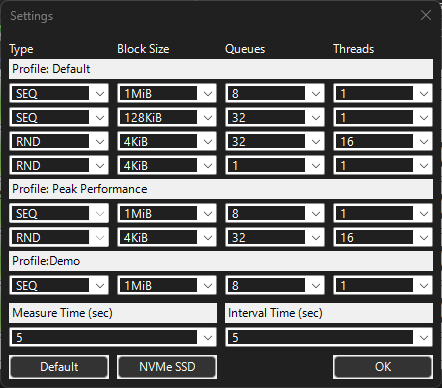
Using Crystal Disk Mark8 on Winn11 Pro - no heat sink on the drive in the enclosure.
Test 1 – C Drive motherboard Reference Speed on 14 inch HP Laptop:
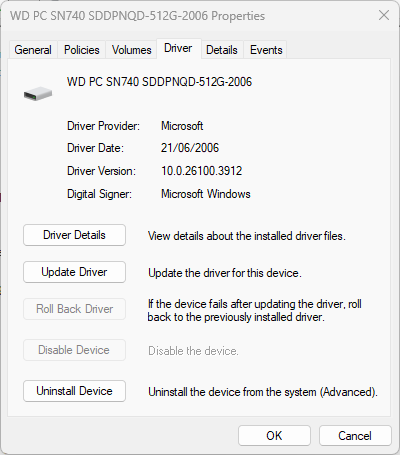
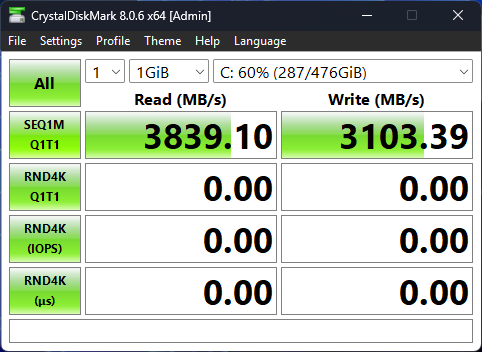
Or 3839MBps x 8 = 30.712 Gbps
Lexar USB 3.2 Enclosure with Kingston NV3 5000 MB/s PCIe MVMe M2 drive:
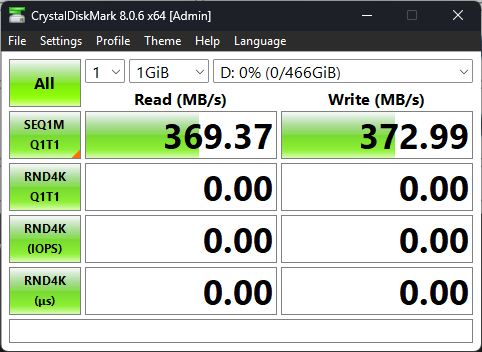
Or 370 x 8 = 2.96 Gbps or 1000 times slower USB3.2 than the motherboard NVram bus as expected.
ADATA 512GB PCIe Gen3 2280 SSD. Faster than the Kingston! So not a USB 3.2 port bottleneck. So what is the max USB3.2 port transfer speed?
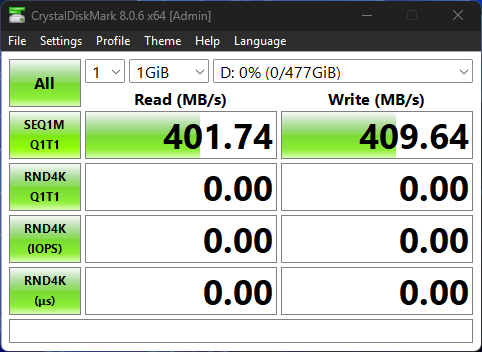
420 x 8Mbps = 3,216Mbps = 3.2Gbps
Compare this USB C port on the 14 inch HP laptop to my 15 inch HP USBC port at twice the speed! :
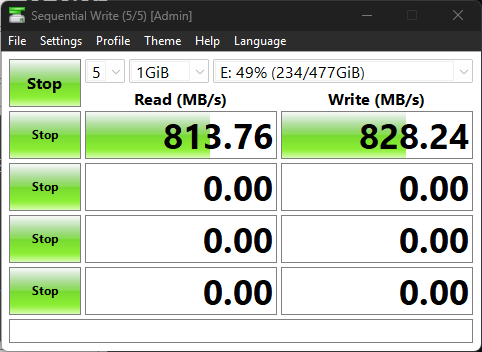
814MBps x 8 6,512 = 6,512Mbps or 6.5Gbps
Now contrast those speeds with a USB dongle and a SK Hynix SATA via a JMicron $4 chinese USB dongle:
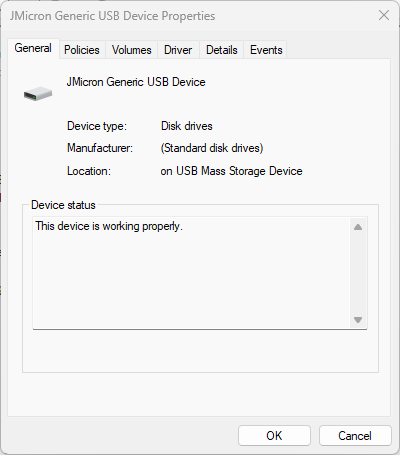
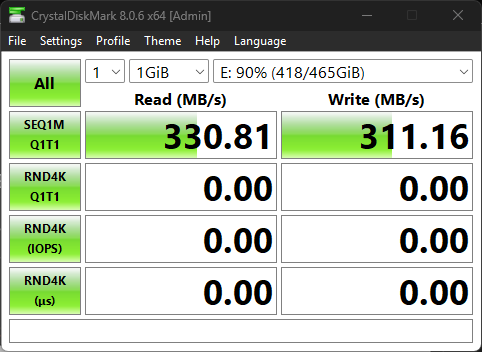
330 x 8 = 2,640Mbps or 2.64Gbps
The same ADATA Legend and SKHynix SATA drives benchmarked in Linux Mint shows different numbers:
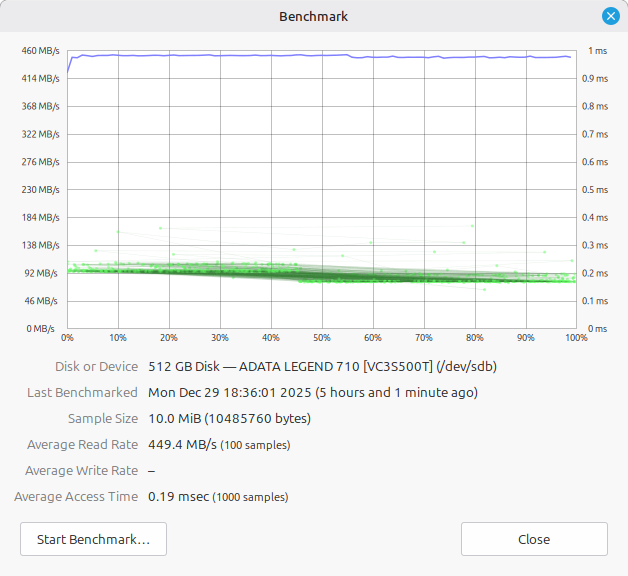
449MBps x 8 = 3.6Gbps and increase of 0.4Gbps across Win and Linux platforms.
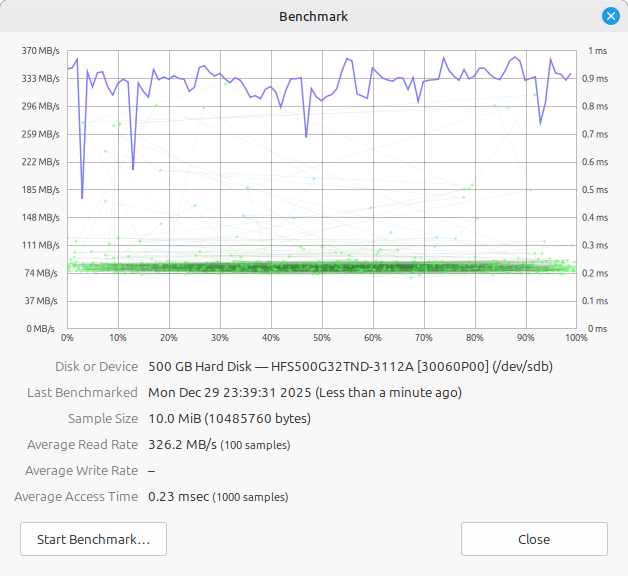
326 x 8 = 2,608Mbps or 2.62Gbps - the SKHynix (my fastest and consistent transfer speed SATA drive), does not show a relevant difference in speed between Oss, probably because of the USB dongle being a bottleneck?
Conclusion:
In pure USB port transfer rate terms, there is not much speed difference between old SATA3 internal laptop drives and the new USB Enclosure with NVe drives, as it will depend what your USB 3.2 ports, the particular dongle or enclosure you have and what the drivers max out at as a bottleneck.
Because of the AI circular tech buying scam purchasing all the memory on the market direct from the suppliers with the same suppliers “AI investment money” now, people may return to buying second hand SATA drives or even old platter drives for homebuilt NAS drives as prices and availability prove problematic?
The only reason I bought two more 512GB NVe ram drives today (some shops already adding a 100,000 COP increase from 2 weeks ago because of the future memory “shortage”), is because I recently had a laptop drive failure, so I now have a replacement for when the next end of life failure happens. What will the cost of NVe ram be in a year or two if this AI investment scam continues?
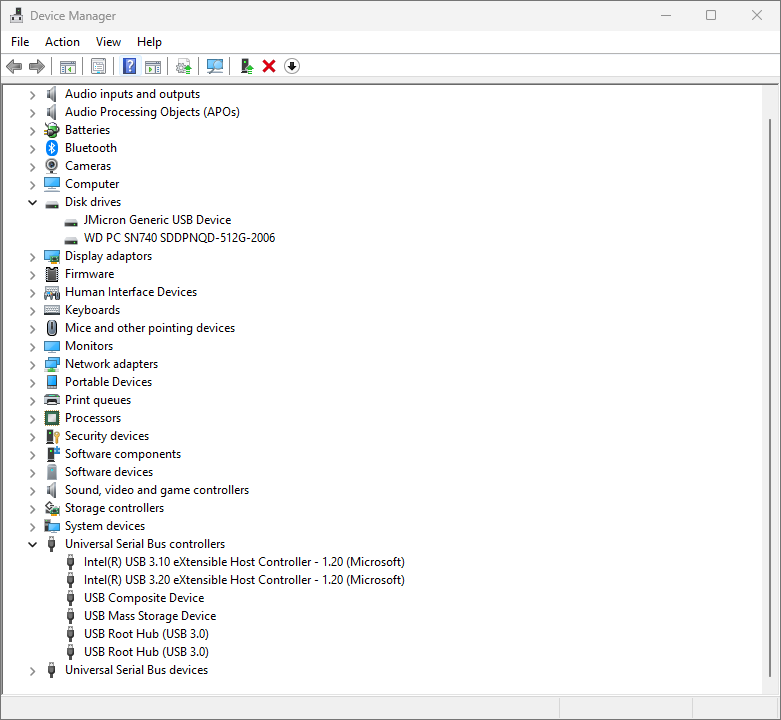
Here are the technical reasons why USB is so slow compared to the motherboard bus from AI:
“It can definitely be a "sticker shock" moment when you realize that moving an NVMe drive from the motherboard to a USB enclosure feels like moving from a fighter jet to a cargo truck.
What you are seeing (2.96 Gbps) is actually quite common for certain USB configurations, though it is technically "slow" for an NVMe drive. Here is the breakdown of why that 1000x gap (or thereabouts) exists.
1. The "Interface" Bottleneck
Your internal NVMe drive lives on the PCIe Bus, which is a direct, multi-lane highway to your CPU.1 Your enclosure lives on the USB Bus, which is a narrow bridge that has to translate data from one "language" to another.
- Motherboard NVMe (PCIe 4.0 x4): Roughly 64 Gbps (~8,000 MB/s).
- Your Result: 2.96 Gbps (~370 MB/s).
- The Reality: Your drive is being capped by your USB port.2 2.96 Gbps suggests you are likely connected to a USB 3.2 Gen 1 (formerly USB 3.0) port, which has a theoretical max of 5 Gbps but usually lands around 300–400 MB/s in real-world testing.
2. The Speed Tiers of External Enclosures
If you want to get closer to your internal speeds, you have to match the enclosure's controller with a matching port on your laptop:
| Connection Type | Theoretical Max | Real World Speed | Why you might see 2.96 Gbps |
|---|---|---|---|
| USB 3.2 Gen 1 | 5 Gbps | ~450 MB/s | You are plugged into a standard blue USB-A port. |
| USB 3.2 Gen 2 | 10 Gbps | ~950 MB/s | Standard for most "high speed" USB-C enclosures. |
| USB 3.2 Gen 2x2 | 20 Gbps | ~1,800 MB/s | Rare; requires a specific "2x2" port on the laptop. |
| USB4 / TB4 | 40 Gbps | ~3,200 MB/s | The "top tier" for external NVMe performance. |
3. Why the gap is so huge
Beyond just the raw speed limits, there are three "hidden" reasons your enclosure is slower:
- Protocol Overhead: USB has significantly more "chatter" and management data (overhead) than PCIe. It’s like a truck having to stop at every toll booth vs. a car with an express pass.
- Bridge Chip Latency: Inside that enclosure is a "Bridge Chip" (like an ASMedia or Realtek controller).3 It has to take PCIe data packets, wrap them in USB "envelopes," send them, and then your computer has to unwrap them. This adds delay.
- Lack of DRAM/HMB: Many NVMe drives use Host Memory Buffer (HMB) to borrow some of your laptop's RAM to stay fast. HMB does not work over USB. Without it, the drive's performance can drop significantly, especially during sustained writes.
Quick Fixes to Try
- Check the Port: Look for a port with a "10" or a Lightning bolt icon. Not all USB-C ports are created equal; some are just 5 Gbps "Gen 1" ports in a fancy shape.
- Check the Cable: If you are using a random USB-C charging cable (like the one for your phone), it might only be rated for USB 2.0 speeds (480 Mbps). Always use the short, thick cable that came with the enclosure.”
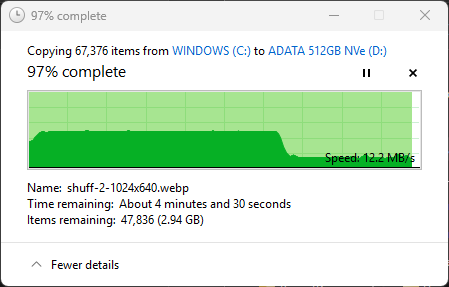
- The effect of heat throttling on large transfers: