
A fresh Mint install for WP to run, not just read the wp-*php files will require:
sudo apt install mysql-server wordpress apache2 libapache2-mod-php php-mbstring vsftpd php-curl php php-mysql
sudo vi /etc/apache2/apache2.conf
# Sets the default security model of the Apache2 HTTPD server. It does
# not allow access to the root filesystem outside of /usr/share and /var/www.
<Directory /var/www>
Options FollowSymLinks
AllowOverride All {allows permalink names change}
Require all denied
</Directory>
stevee@QuadMint /1500/Downloads/Search-Replace-DB-master $ ./srdb.cli.php -h localhost -n DebianAdmin -u root -p poop -s localhost -r localhost
https://stevepedwards.today/Search-Replace-DB-master/
stevee@QuadMint ~ $ sudo vi /etc/apache2/sites-enabled/000-default.conf
Alias "/DebianAdmin" "/var/www/DebianAdmin"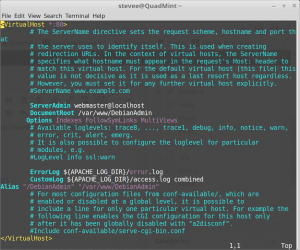
sudo service apache2 restart
Export DB
stevee@QuadMint ~ $ mysqldump -u root -p DebianAdmin > /var/www/localhostDA.sql
# When "listen" directive is enabled, vsftpd runs in standalone mode and
# listens on IPv4 sockets. This directive cannot be used in conjunction
# with the listen_ipv6 directive.
listen=YES
#
# This directive enables listening on IPv6 sockets. To listen on IPv4 and IPv6
# sockets, you must run two copies of vsftpd with two configuration files.
# Make sure, that one of the listen options is commented !!
#listen_ipv6=YES
sudo vi /etc/vsftpd.conf
# Uncomment this to allow local users to log in.
local_enable=YES
# Uncomment this to enable any form of FTP write command.
write_enable=YES
# Uncomment this to indicate that vsftpd use a utf8 filesystem.
utf8_filesystem=YES
sudo service vsftpd restart
To replace correct perms from 777 install:
sudo find /var/www/ -type d -exec chmod 770 -R {} ;
sudo find /var/www/ -type f -exec chmod 644 {} ;
./srdb.cli.php -h localhost -n DebianAdmin -u root -p poop -s localhost -r amda8
for; Call to undefined function mb_regex_encoding()
sudo apt install php-mbstring
sudo apt install vsftpd
sudo vi /etc/vsftpd.conf
listen=YES
#
# This directive enables listening on IPv6 sockets. By default, listening
# on the IPv6 "any" address (::) will accept connections from both IPv6
# and IPv4 clients. It is not necessary to listen on *both* IPv4 and IPv6
# sockets. If you want that (perhaps because you want to listen on specific
# addresses) then you must run two copies of vsftpd with two configuration
# files.
#listen_ipv6=YES
# Uncomment this to indicate that vsftpd use a utf8 filesystem.
utf8_filesystem=YES
sudo service vsftpd restart
stevee@localhost ~ $ nmap 192.168.1.11
Starting Nmap 7.01 ( https://nmap.org ) at 2018-01-31 01:47 GMT
Nmap scan report for 192.168.1.11
Host is up (0.00015s latency).
Not shown: 995 closed ports
PORT STATE SERVICE
21/tcp open ftp
Conf router for ports 21 NAT to PC IP addr:
| Index No. 8 |
|
For Optimus:
sudo apt install php-curl
sudo service apache2 restart
Is php installed??
stevee@QuadMint ~ $ which php
/usr/bin/php
sudo apt install php php-mysql
Importing Posts:
sudo vi /etc/php/7.0/apache2/php.ini
; Maximum size of POST data that PHP will accept.
; Its value may be 0 to disable the limit. It is ignored if POST data reading
; is disabled through enable_post_data_reading.
; https://php.net/post-max-size
post_max_size = 0
; Maximum allowed size for uploaded files.
; https://php.net/upload-max-filesize
upload_max_filesize = 20M
sudo service apache2 restart
for Permalink postname failure:
stevee@localhost ~ $ sudo vi /var/www/DebianAdmin/.htaccess
# BEGIN WordPress
<IfModule mod_rewrite.c>
RewriteEngine On
RewriteBase /DebianAdmin/
RewriteRule ^index.php$ - [L]
RewriteCond %{REQUEST_FILENAME} !-f
RewriteCond %{REQUEST_FILENAME} !-d
RewriteRule . /DebianAdmin/index.php [L]
</IfModule>
# END WordPress
sudo a2enmod rewrite
sudo service apache2 restart