
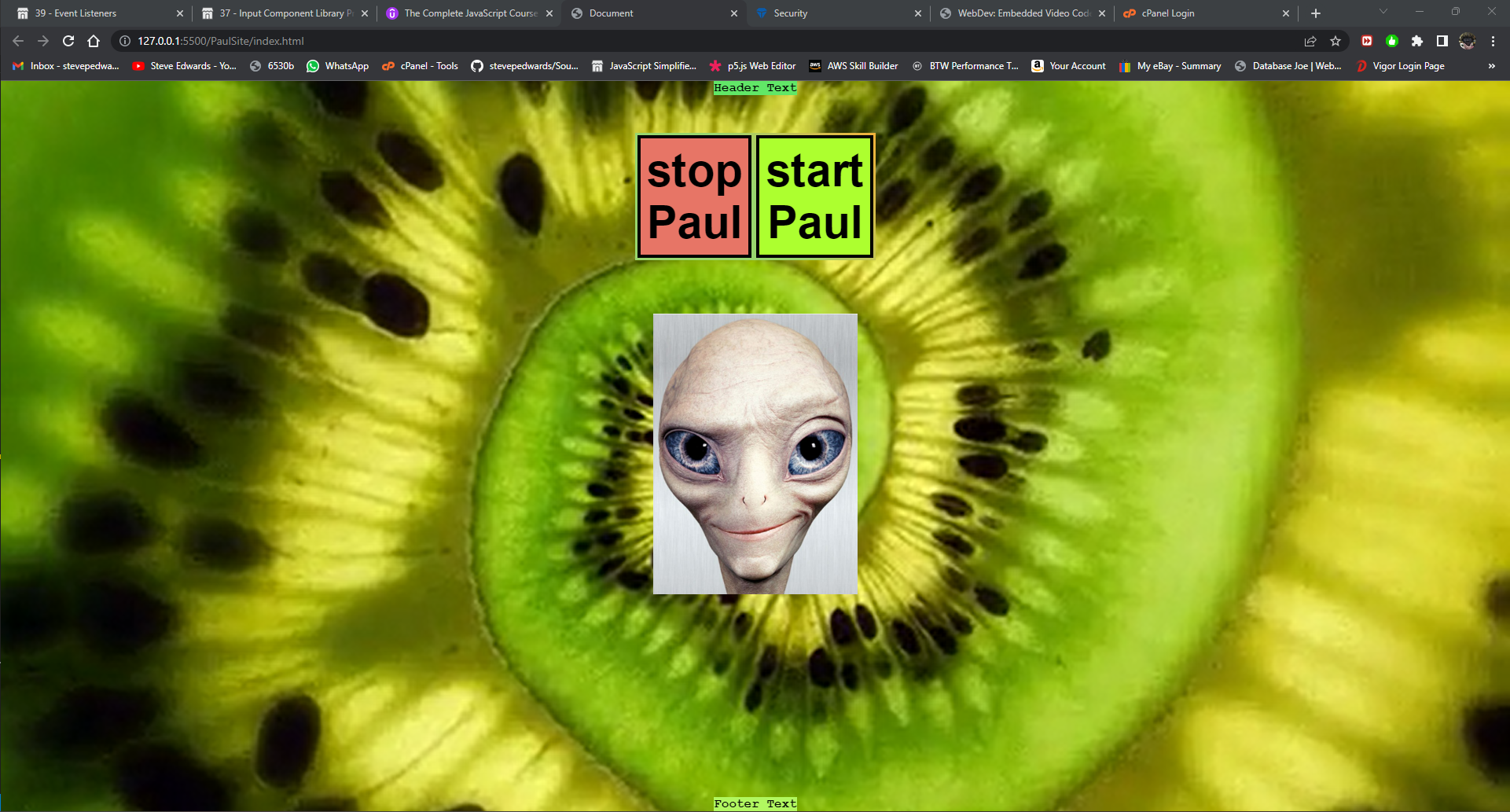
HTML:
<!DOCTYPE html>
<html lang="en">
<head>
    <meta charset="UTF-8">
    <meta http-equiv="X-UA-Compatible" content="IE=edge">
    <meta name="viewport" content="width=device-width, initial-scale=1.0">
    <title>Document</title>
    <script src="script.js" defer></script>
    <link rel="stylesheet" href="styles.css" />
</head>
<body>
    <video id="background-video" autoplay loop muted poster="VidPoster.png">
        <source src="video.mp4" type="video/mp4">
        </video>
    <header class="header">Header Text</header>
        <section class="primary-container">
            <button class="one1">stop Paul</button>
            <button class="two1">start Paul</button>
        </section>

        <img src="Paul.png" class="paul rotate-image"
        alt="pic"/>
    <footer class="footer">Footer Text</footer>
</body>
</html>
CSS:
* {
  box-sizing: border-box;
  margin: 0;

}

/* -------------------------------------------------------------- */
/*  These body and footer settings push the footer to the page bottom IF the footer is within the body container as it should be */
body {
  background-color: gray;
  min-height: 100vh;
  display: flex;
  /* for the main columns to seperate header, divs and footer */
  flex-direction: column;
  /* to center the alien image */
  justify-content: center; /* align horizontal; */
  align-items: center; /* align vertical */
}
.footer {
  background-color: rgb(177, 247, 96);
  margin-top: auto;
  font-family: "Courier New", Courier, monospace;
  /* without flex, this centers just text */
  text-align: center;
  font-weight: bolder;
  font-size: 1rem;
}
/* ---------------------------------------------------------------- */

.header {
  background-color: rgb(97, 231, 103);
  /* animation: rotation 2s infinite linear; */
  /* margin-top: auto; */
  font-family: "Courier New", Courier, monospace;
  /* without flex, this centers just text */
  text-align: center;
  font-weight: bolder;
  font-size: 1rem;
}

.primary-container {
  margin-top: 1em;
  /* min-height: fit-content; */
  justify-content: center;
  display: flex;
  background-image: linear-gradient(236deg, #f1b13a 0%, #98d66e 50%);
  font-size: 3rem;
  font-family: cursive;
}

.secondary-container {
  margin-top: 1em;
  /* min-height: fit-content; */
  justify-content: center;
  display: flex;
  background-image: linear-gradient(236deg, #8979a3 0%, #e77566 50%);
  font-size: 3rem;
  font-family: cursive;
}

.one1 {
  font-size: larger;
  /* max-width: fit-content; */
  background-color: #e77566;
  border: solid 2px black;
}

.one1:hover {
  cursor: pointer;
  background-color: red;
}

.one1:focus {
  /* eg Tab key color */
  background: green
}

.two1 {
  font-size: larger;
  /* max-width: fit-content; */
  background-color: greenyellow;
  border: solid 2px black;
}

.two1:hover {
  cursor: pointer;
  background-color: yellowgreen;
}

/* focus is a good way to show an active button in a multi button view */
.two1:focus {
  /* eg Tab key color */
  background: greenyellow;
}

/* center damn images!!?? up in main body! */
.paul {
  justify-content: center;
  margin-top: 3em;
  max-width: 300px;
  max-height: 400px;
  padding: 20px;
  /* img rotation */
  -webkit-transform: rotate(0deg);
}

.one1 {
  font-weight: bolder;
  max-width: fit-content;

  /*  space all round */
  margin: 3px;
  /* all round */
  border: solid black 4px;
  /* pads all round element */
  padding: 8px;
}

.two1 {
  font-weight: bolder;
  max-width: fit-content;
  margin: 3px;
  /* all round */
  border: solid black 4px;
  /* pads all round element */
  padding: 8px;
}

/* ----------- Rotation ------------- */
.rotate {
  animation: rotation 3s;
}

@keyframes rotation {
  from {
    transform: rotate(0deg);
  }
  to {
    transform: rotate(359deg);
  }
}

.linear {
  animation-timing-function: linear;
}

.infinite {
  animation-iteration-count: infinite;
}

/* All the above HTML classes condense here */
.rotate-image {
  animation: rotation 0.5s linear infinite;
}
/* ----------- Rotation ------------- */

#background-video {
  width: 100vw;
  height: 100vh;
  object-fit: cover;
  position: fixed;
  left: 0;
  right: 0;
  top: 0;
  bottom: 0;
  z-index: -1;
}
JS:
const btn1 = document.querySelector(".rotate-image");

const btn2 = document.querySelector(".rotate-image");

const stopPaul = document
  .querySelector(".one1")
  .addEventListener("click", function () {
    console.log("hide rotate");
    btn1.classList.remove("rotate-image");
  });

const startPaul = document
  .querySelector(".two1")
  .addEventListener("click", function () {
    console.log("unhide rotate");
    btn2.classList.add("rotate-image");
  });