Local weather station (Perranporth) using a Vantage Pro2:
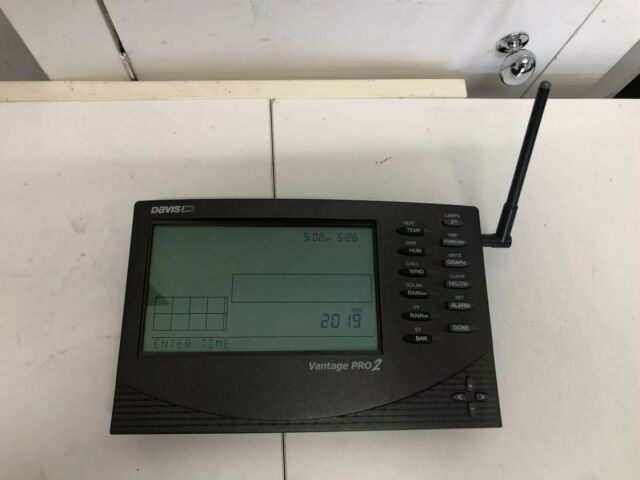
https://www.sueandalan.plus.com/weewx/index.html
OK! According to:
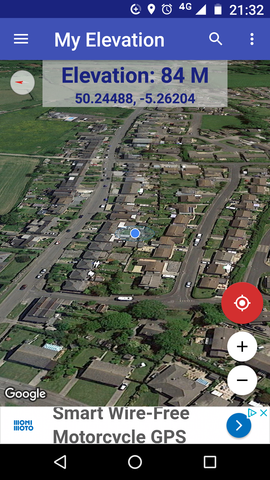
https://stevepedwards.today/routecalculator.co.uk/elevation
my address elevation IS the same as my phone App states, so can be added to the BMP180 code later, as my local ref. -
Altitude: 84 m. (276 ft)
But first, check the sensors work!:
DHT11-Datasheet
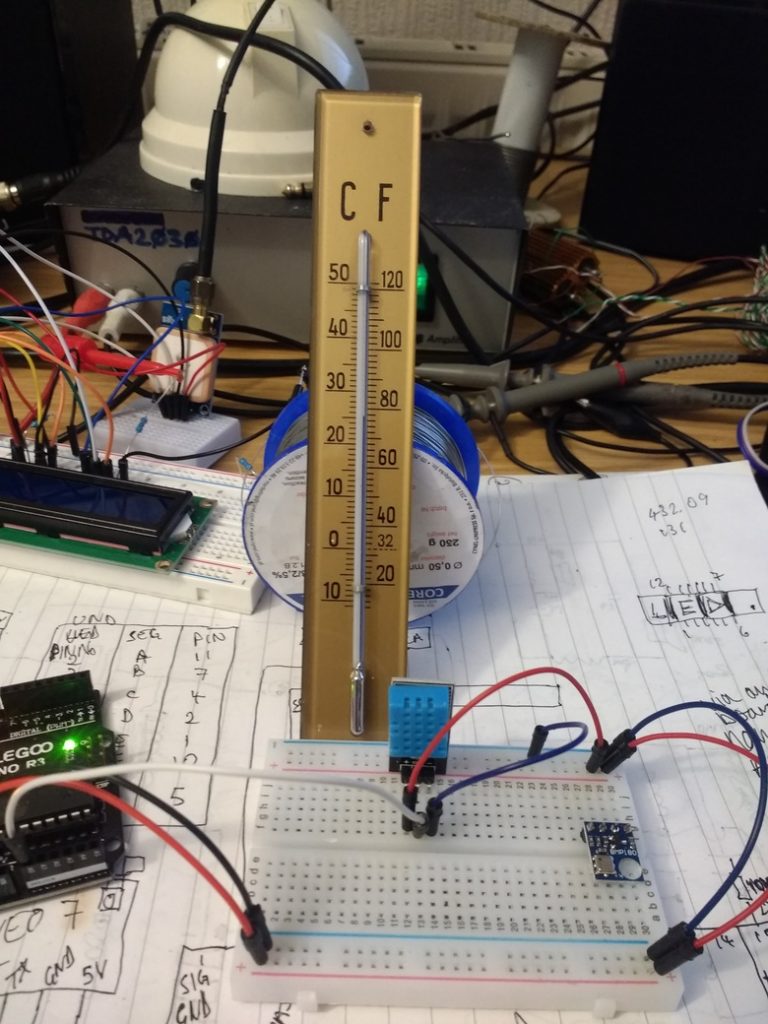
DHT middle pin out to Uno A0 (analogue serial) pin.
4. Power and Pin
DHT11's power supply is 3-5.5V DC. When power is supplied to the sensor, do not send any instruction to the sensor in within one second in order to pass the unstable status. One capacitor valued 100nF can be added between VDD and GND for power filtering.
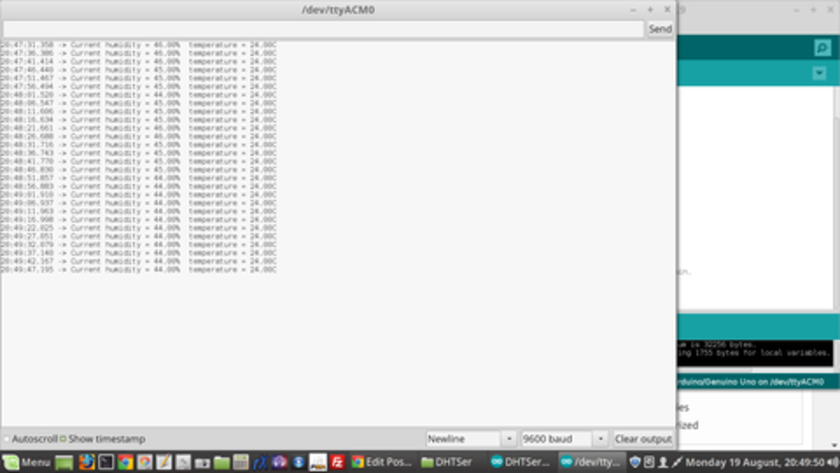
DHT11 solo check code - yes the old one was dead..!
20:51:48.882 -> Current humidity = 45.00% temperature = 24.00C
An uncalibrated old analogue gauge reads 25 deg.
#include "dht.h"
#define dht_apin A0 // Analog Pin sensor is connected to
dht DHT;
void setup(){
  Serial.begin(9600);
  delay(500);//Delay to let system boot
  Serial.println("DHT11 Humidity & temperature Sensor\n\n");
  delay(1000);//Wait before accessing Sensor
}//end "setup()"
void loop(){
  //Start of Program
    DHT.read11(dht_apin);
    Serial.print("Current humidity = ");
    Serial.print(DHT.humidity);
    Serial.print("%  ");
    Serial.print("temperature = ");
    Serial.print(DHT.temperature);
    Serial.println("C  ");
    delay(5000);//Wait 5 seconds before accessing sensor again.
  //Fastest should be once every two seconds.
}// end loop()
BMP180 Datasheet V2.5
Supply voltage VDD ripple max. 50mVpp 1.8 2.5 3.6 V 1.62 2.5 3.6
BMP180 I2C interface Pins SCL, SDA to Uno pins SCL, SDA and 3.6V DC MAX !! power.
BMP180 solo check code - I added my height of 84m ASL for local ref! I'm not in Colorado..unfortunately:
/* SFE_BMP180 library example sketch
This sketch shows how to use the SFE_BMP180 library to read the
Bosch BMP180 barometric pressure sensor.
https://www.sparkfun.com/products/11824
Like most pressure sensors, the BMP180 measures absolute pressure.
This is the actual ambient pressure seen by the device, which will
vary with both altitude and weather.
Before taking a pressure reading you must take a temparture reading.
This is done with startTemperature() and getTemperature().
The result is in degrees C.
Once you have a temperature reading, you can take a pressure reading.
This is done with startPressure() and getPressure().
The result is in millibar (mb) aka hectopascals (hPa).
If you'll be monitoring weather patterns, you will probably want to
remove the effects of altitude. This will produce readings that can
be compared to the published pressure readings from other locations.
To do this, use the sealevel() function. You will need to provide
the known altitude at which the pressure was measured.
If you want to measure altitude, you will need to know the pressure
at a baseline altitude. This can be average sealevel pressure, or
a previous pressure reading at your altitude, in which case
subsequent altitude readings will be + or - the initial baseline.
This is done with the altitude() function.
Hardware connections:
- (GND) to GND
+ (VDD) to 3.3V
(WARNING: do not connect + to 5V or the sensor will be damaged!)
You will also need to connect the I2C pins (SCL and SDA) to your
Arduino. The pins are different on different Arduinos:
Any Arduino pins labeled:  SDA  SCL
Uno, Redboard, Pro:        A4   A5
Mega2560, Due:             20   21
Leonardo:                   2    3
Leave the IO (VDDIO) pin unconnected. This pin is for connecting
the BMP180 to systems with lower logic levels such as 1.8V
Have fun! -Your friends at SparkFun.
The SFE_BMP180 library uses floating-point equations developed by the
Weather Station Data Logger project: https://stevepedwards.today/wmrx00.sourceforge.net/
Our example code uses the "beerware" license. You can do anything
you like with this code. No really, anything. If you find it useful,
buy me a beer someday.
V10 Mike Grusin, SparkFun Electronics 10/24/2013
V1.1.2 Updates for Arduino 1.6.4 5/2015
*/
// Your sketch must #include this library, and the Wire library.
// (Wire is a standard library included with Arduino.):
#include <SFE_BMP180.h>
#include <Wire.h>
// You will need to create an SFE_BMP180 object, here called "pressure":
SFE_BMP180 pressure;
#define ALTITUDE 84.0 // Altitude of SparkFun's HQ in Boulder, CO. in meters...Not me!
void setup()
{
  Serial.begin(9600);
  Serial.println("REBOOT");
  // Initialize the sensor (it is important to get calibration values stored on the device).
  if (pressure.begin())
    Serial.println("BMP180 init success");
  else
  {
    // Oops, something went wrong, this is usually a connection problem,
    // see the comments at the top of this sketch for the proper connections.
    Serial.println("BMP180 init fail\n\n");
    while(1); // Pause forever.
  }
}
void loop()
{
  char status;
  double T,P,p0,a;
  // Loop here getting pressure readings every 10 seconds.
  // If you want sea-level-compensated pressure, as used in weather reports,
  // you will need to know the altitude at which your measurements are taken.
  // We're using a constant called ALTITUDE in this sketch:
  Serial.println();
  Serial.print("provided altitude: ");
  Serial.print(ALTITUDE,0);
  Serial.print(" meters, ");
  Serial.print(ALTITUDE*3.28084,0);
  Serial.println(" feet");
  // If you want to measure altitude, and not pressure, you will instead need
  // to provide a known baseline pressure. This is shown at the end of the sketch.
  // You must first get a temperature measurement to perform a pressure reading.
  // Start a temperature measurement:
  // If request is successful, the number of ms to wait is returned.
  // If request is unsuccessful, 0 is returned.
  status = pressure.startTemperature();
  if (status != 0)
  {
    // Wait for the measurement to complete:
    delay(status);
    // Retrieve the completed temperature measurement:
    // Note that the measurement is stored in the variable T.
    // Function returns 1 if successful, 0 if failure.
    status = pressure.getTemperature(T);
    if (status != 0)
    {
      // Print out the measurement:
      Serial.print("temperature: ");
      Serial.print(T,2);
      Serial.print(" deg C, ");
      Serial.print((9.0/5.0)*T+32.0,2);
      Serial.println(" deg F");
      // Start a pressure measurement:
      // The parameter is the oversampling setting, from 0 to 3 (highest res, longest wait).
      // If request is successful, the number of ms to wait is returned.
      // If request is unsuccessful, 0 is returned.
      status = pressure.startPressure(3);
      if (status != 0)
      {
        // Wait for the measurement to complete:
        delay(status);
        // Retrieve the completed pressure measurement:
        // Note that the measurement is stored in the variable P.
        // Note also that the function requires the previous temperature measurement (T).
        // (If temperature is stable, you can do one temperature measurement for a number of pressure measurements.)
        // Function returns 1 if successful, 0 if failure.
        status = pressure.getPressure(P,T);
        if (status != 0)
        {
          // Print out the measurement:
          Serial.print("absolute pressure: ");
          Serial.print(P,2);
          Serial.print(" mb, ");
          Serial.print(P*0.0295333727,2);
          Serial.println(" inHg");
          // The pressure sensor returns abolute pressure, which varies with altitude.
          // To remove the effects of altitude, use the sealevel function and your current altitude.
          // This number is commonly used in weather reports.
          // Parameters: P = absolute pressure in mb, ALTITUDE = current altitude in m.
          // Result: p0 = sea-level compensated pressure in mb
          p0 = pressure.sealevel(P,ALTITUDE); // we're at 1655 meters (Boulder, CO)
          Serial.print("relative (sea-level) pressure: ");
          Serial.print(p0,2);
          Serial.print(" mb, ");
          Serial.print(p0*0.0295333727,2);
          Serial.println(" inHg");
          // On the other hand, if you want to determine your altitude from the pressure reading,
          // use the altitude function along with a baseline pressure (sea-level or other).
          // Parameters: P = absolute pressure in mb, p0 = baseline pressure in mb.
          // Result: a = altitude in m.
          a = pressure.altitude(P,p0);
          Serial.print("computed altitude: ");
          Serial.print(a,0);
          Serial.print(" meters, ");
          Serial.print(a*3.28084,0);
          Serial.println(" feet");
        }
        else Serial.println("error retrieving pressure measurement\n");
      }
      else Serial.println("error starting pressure measurement\n");
    }
    else Serial.println("error retrieving temperature measurement\n");
  }
  else Serial.println("error starting temperature measurement\n");
  delay(5000);  // Pause for 5 seconds.
}
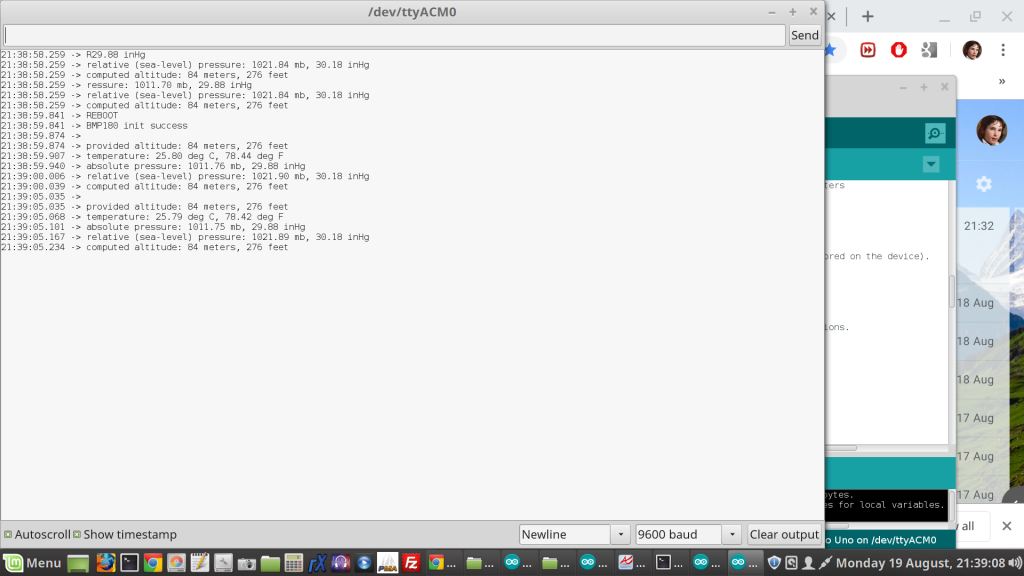
21:48:51.293 -> provided altitude: 84 meters, 276 feet
21:48:51.326 -> temperature: 25.81 deg C, 78.46 deg F
21:48:51.392 -> absolute pressure: 1011.75 mb, 29.88 inHg
21:48:51.425 -> relative (sea-level) pressure: 1021.89 mb, 30.18 inHg
21:48:51.491 -> computed altitude: 84 meters, 276 feet
Combining the 2 sensors code from original zip files, for SerialMon output first for Temp comparisons between both sensors - easier to add parts from DHT11 code to BMP180..?:
/* SFE_BMP180 library example sketch
This sketch shows how to use the SFE_BMP180 library to read the
Bosch BMP180 barometric pressure sensor.
https://www.sparkfun.com/products/11824
Like most pressure sensors, the BMP180 measures absolute pressure.
This is the actual ambient pressure seen by the device, which will
vary with both altitude and weather.
Before taking a pressure reading you must take a temparture reading.
This is done with startTemperature() and getTemperature().
The result is in degrees C.
Once you have a temperature reading, you can take a pressure reading.
This is done with startPressure() and getPressure().
The result is in millibar (mb) aka hectopascals (hPa).
If you'll be monitoring weather patterns, you will probably want to
remove the effects of altitude. This will produce readings that can
be compared to the published pressure readings from other locations.
To do this, use the sealevel() function. You will need to provide
the known altitude at which the pressure was measured.
If you want to measure altitude, you will need to know the pressure
at a baseline altitude. This can be average sealevel pressure, or
a previous pressure reading at your altitude, in which case
subsequent altitude readings will be + or - the initial baseline.
This is done with the altitude() function.
Hardware connections:
- (GND) to GND
+ (VDD) to 3.3V
(WARNING: do not connect + to 5V or the sensor will be damaged!)
You will also need to connect the I2C pins (SCL and SDA) to your
Arduino. The pins are different on different Arduinos:
Any Arduino pins labeled:  SDA  SCL
Uno, Redboard, Pro:        A4   A5
Mega2560, Due:             20   21
Leonardo:                   2    3
Leave the IO (VDDIO) pin unconnected. This pin is for connecting
the BMP180 to systems with lower logic levels such as 1.8V
Have fun! -Your friends at SparkFun.
The SFE_BMP180 library uses floating-point equations developed by the
Weather Station Data Logger project: https://stevepedwards.today/wmrx00.sourceforge.net/
Our example code uses the "beerware" license. You can do anything
you like with this code. No really, anything. If you find it useful,
buy me a beer someday.
V10 Mike Grusin, SparkFun Electronics 10/24/2013
V1.1.2 Updates for Arduino 1.6.4 5/2015
*/
// Your sketch must #include this library, and the Wire library.
// (Wire is a standard library included with Arduino.):
#include <SFE_BMP180.h>
#include <Wire.h>
#include "dht.h"
#define dht_apin A0 // Analog Pin sensor is connected to
dht DHT;
// You will need to create an SFE_BMP180 object, here called "pressure":
SFE_BMP180 pressure;
#define ALTITUDE 1655.0 // Altitude of SparkFun's HQ in Boulder, CO. in meters
void setup()
{
  Serial.begin(9600);
  delay(500);//Delay to let system boot
  Serial.println("DHT11 Humidity & temperature Sensor\n\n");
  delay(1000);//Wait before accessing Sensor
  Serial.println();
  Serial.println("REBOOT");
  // Initialize the sensor (it is important to get calibration values stored on the device).
  if (pressure.begin())
    Serial.println("BMP180 init success");
  else
  {
    // Oops, something went wrong, this is usually a connection problem,
    // see the comments at the top of this sketch for the proper connections.
    Serial.println("BMP180 init fail\n\n");
    while(1); // Pause forever.
  }
}
void loop()
{
  char status;
  double T,P,p0,a;
            //Start of Program
    DHT.read11(dht_apin);
    Serial.println();
    Serial.print("Current humidity = ");
    Serial.print(DHT.humidity);
    Serial.print("%  ");
    Serial.print("temperature = ");
    Serial.print(DHT.temperature);
    Serial.println("C  ");
    delay(5000);//Wait 5 seconds before accessing sensor again.
  //Fastest should be once every two seconds.
  // Loop here getting pressure readings every 10 seconds.
  // If you want sea-level-compensated pressure, as used in weather reports,
  // you will need to know the altitude at which your measurements are taken.
  // We're using a constant called ALTITUDE in this sketch:
  Serial.println();
  Serial.print("provided altitude: ");
  Serial.print(ALTITUDE,0);
  Serial.print(" meters, ");
  Serial.print(ALTITUDE*3.28084,0);
  Serial.println(" feet");
  // If you want to measure altitude, and not pressure, you will instead need
  // to provide a known baseline pressure. This is shown at the end of the sketch.
  // You must first get a temperature measurement to perform a pressure reading.
  // Start a temperature measurement:
  // If request is successful, the number of ms to wait is returned.
  // If request is unsuccessful, 0 is returned.
  status = pressure.startTemperature();
  if (status != 0)
  {
    // Wait for the measurement to complete:
    delay(status);
    // Retrieve the completed temperature measurement:
    // Note that the measurement is stored in the variable T.
    // Function returns 1 if successful, 0 if failure.
    status = pressure.getTemperature(T);
    if (status != 0)
    {
      // Print out the measurement:
      Serial.print("temperature: ");
      Serial.print(T,2);
      Serial.print(" deg C, ");
      Serial.print((9.0/5.0)*T+32.0,2);
      Serial.println(" deg F");
      // Start a pressure measurement:
      // The parameter is the oversampling setting, from 0 to 3 (highest res, longest wait).
      // If request is successful, the number of ms to wait is returned.
      // If request is unsuccessful, 0 is returned.
      status = pressure.startPressure(3);
      if (status != 0)
      {
        // Wait for the measurement to complete:
        delay(status);
        // Retrieve the completed pressure measurement:
        // Note that the measurement is stored in the variable P.
        // Note also that the function requires the previous temperature measurement (T).
        // (If temperature is stable, you can do one temperature measurement for a number of pressure measurements.)
        // Function returns 1 if successful, 0 if failure.
        status = pressure.getPressure(P,T);
        if (status != 0)
        {
          // Print out the measurement:
          Serial.print("absolute pressure: ");
          Serial.print(P,2);
          Serial.print(" mb, ");
          Serial.print(P*0.0295333727,2);
          Serial.println(" inHg");
          // The pressure sensor returns abolute pressure, which varies with altitude.
          // To remove the effects of altitude, use the sealevel function and your current altitude.
          // This number is commonly used in weather reports.
          // Parameters: P = absolute pressure in mb, ALTITUDE = current altitude in m.
          // Result: p0 = sea-level compensated pressure in mb
          p0 = pressure.sealevel(P,ALTITUDE); // we're at 1655 meters (Boulder, CO)
          Serial.print("relative (sea-level) pressure: ");
          Serial.print(p0,2);
          Serial.print(" mb, ");
          Serial.print(p0*0.0295333727,2);
          Serial.println(" inHg");
          // On the other hand, if you want to determine your altitude from the pressure reading,
          // use the altitude function along with a baseline pressure (sea-level or other).
          // Parameters: P = absolute pressure in mb, p0 = baseline pressure in mb.
          // Result: a = altitude in m.
          a = pressure.altitude(P,p0);
          Serial.print("computed altitude: ");
          Serial.print(a,0);
          Serial.print(" meters, ");
          Serial.print(a*3.28084,0);
          Serial.println(" feet");
        }
        else Serial.println("error retrieving pressure measurement\n");
      }
      else Serial.println("error starting pressure measurement\n");
    }
    else Serial.println("error retrieving temperature measurement\n");
  }
  else Serial.println("error starting temperature measurement\n");
  delay(5000);  // Pause for 5 seconds.
}
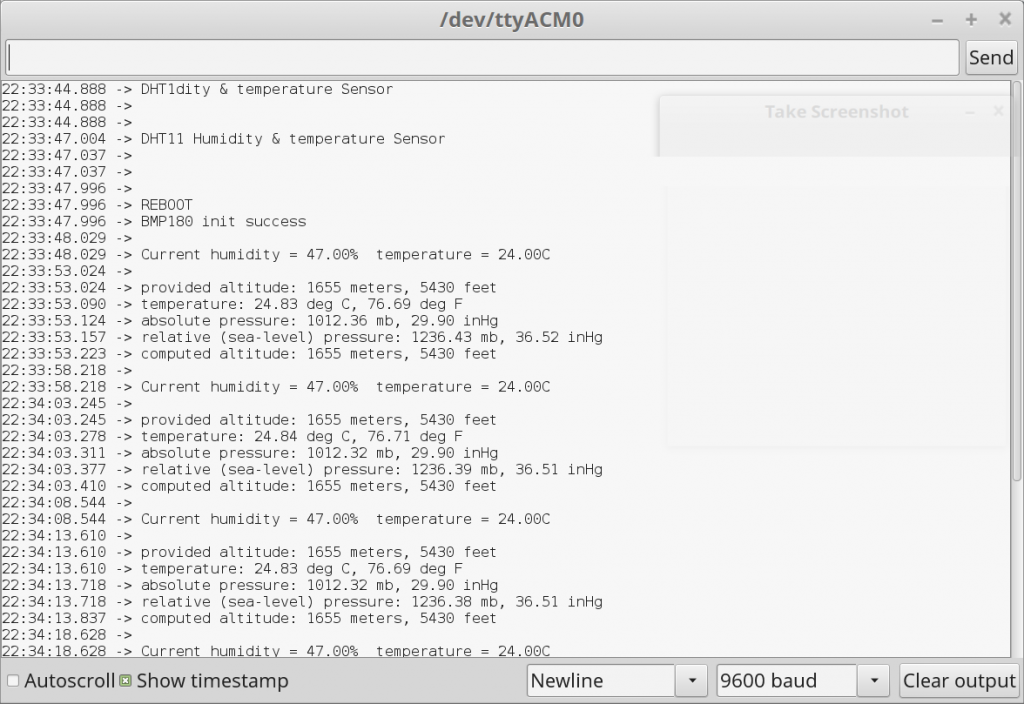
22:41:47.279 -> Current humidity = 47.00% temperature = 24.00C
22:41:52.306 ->
22:41:52.306 -> provided altitude: 1655 meters, 5430 feet
22:41:52.339 -> temperature: 24.87 deg C, 76.77 deg F
22:41:52.372 -> absolute pressure: 1012.28 mb, 29.90 inHg
22:41:52.438 -> relative (sea-level) pressure: 1236.34 mb, 36.51 inHg
22:41:52.471 -> computed altitude: 1655 meters, 5430 feet
All good! Note temp diffs between sensors of possibly rounded down values or library constants - 0.87 deg diff. Is this as there is no decimal place code in the DHT11 example? It's not showing any decimals where the bmp180 code does
Serial.print((9.0/5.0)*T+32.0,2); Nope.
...let's see..? Heavy breathing on the DHT11 gets humidity and temp raised, but no decimal point values showing.
You can see from the Datasheet the bmp180 unit can determine absolute temp and pressure, the values of which have been attempted in the code, but obviously incorrectly as the figures are way off local weather station data:
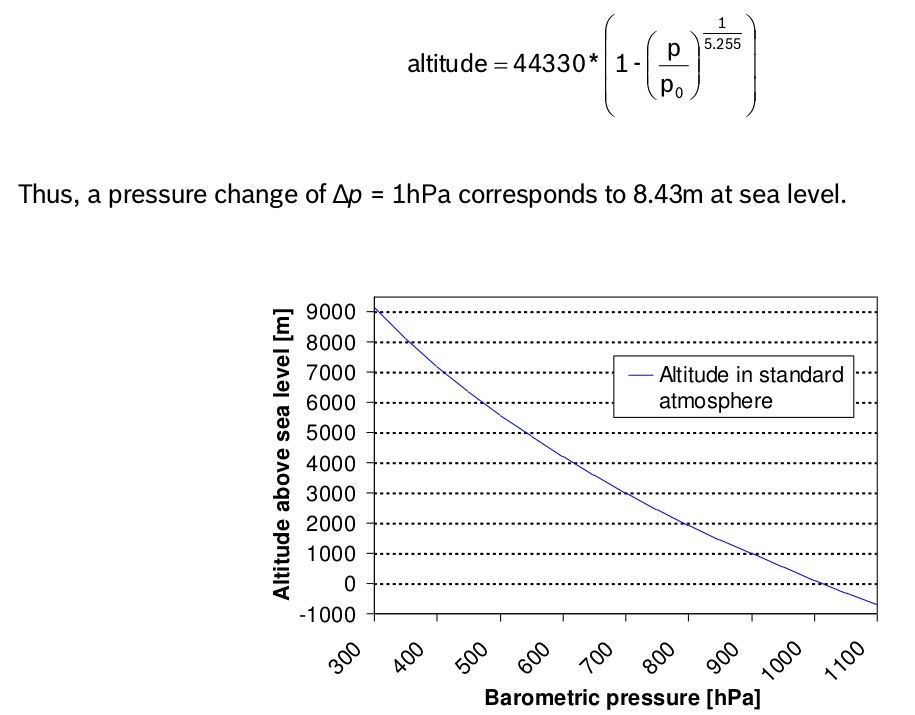
3.6 Calculating absolute altitude
With the measured pressure p and the pressure at sea level p 0 e.g. 1013.25hPa, the altitude in meters can be calculated with the international barometric formula:
Two Sensors
Analog- pin 4 (SDA) and pin 5 (SCA)- also used for TWI communication- using Wire library.
As I have run this code with my local altitude added on the bmp180 already, can I get a close Alt value from the sensor by giving it local pressure data of- 1021.5 mb?
// On the other hand, if you want to determine your altitude from the pressure reading,
// use the altitude function along with a baseline pressure (sea-level or other).
// Parameters: P = absolute pressure in mb, p0 = baseline pressure in mb.
// Result: a = altitude in m.
a = pressure.altitude(P,1021.5);
Serial.print("computed altitude: ");
Serial.print(a,0);
Serial.print(" meters, ");
Serial.print(a*3.28084,0);
Serial.println(" feet");
Still not accurate even when it knows my altitude and local pressure..? The temperature is exactly the same as my analogue gauge.
01:33:37.919 -> Current humidity = 54.00% temperature = 23.00C
01:33:42.912 ->
01:33:42.912 -> provided altitude: 84 meters, 276 feet
01:33:42.945 -> temperature: 23.81 deg C, 74.86 deg F
01:33:42.978 -> absolute pressure: 1012.88 mb, 29.91 inHg
01:33:43.011 -> relative (sea-level) pressure: 1023.02 mb, 30.21 inHg
01:33:43.077 -> computed altitude: 71 meters, 234 feet
Before adding LCD setup and code, let's port it to a Nano...only 5 wires, where Uno SDA/SCL lines move to Nano pins 4/5 as we're using the Wire.h lib, and no changed code as the code info states:
Any Arduino pins labeled: SDA SCL
Uno, Redboard, Pro:- - - - - - - A4 A5
Mega2560, Due: 20 21
Leonardo: 2 3
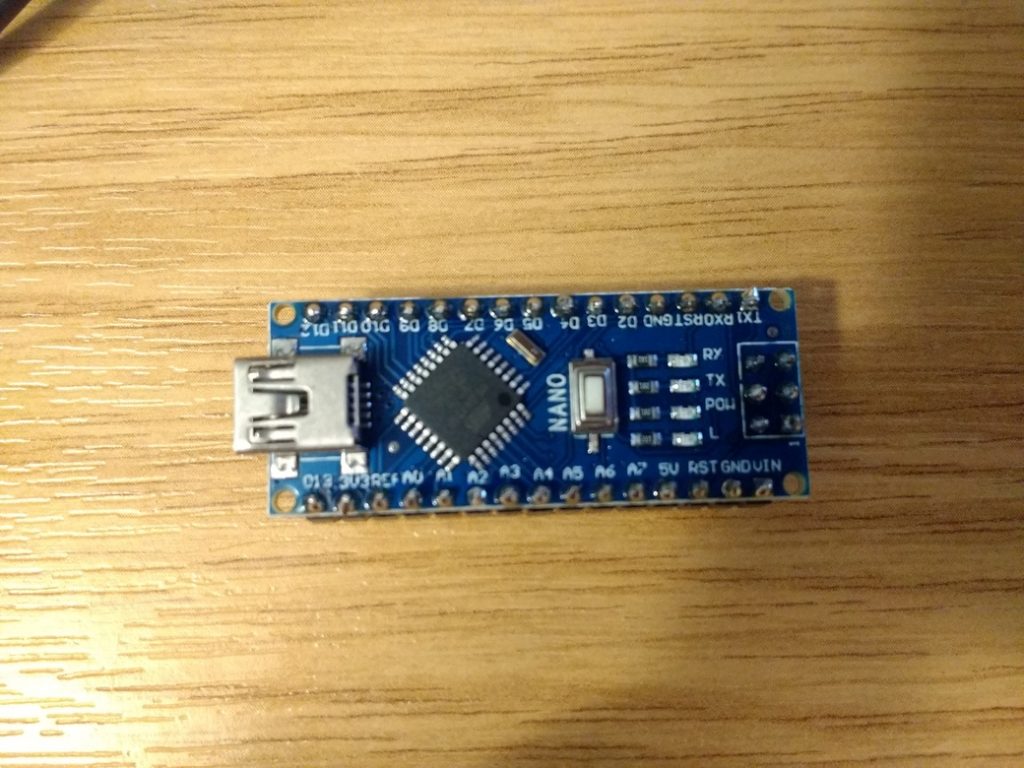
Yep, old Nano works fine too. But, 3 new arrivals did not at first, with a flashing red L light - they have the old bootloader! Change under Tools/Processor.
01:22:34.602 -> provided altitude: 1655 meters, 5430 feet
01:22:34.635 -> temperature: 24.21 deg C, 75.57 deg F
01:22:34.668 -> absolute pressure: 1012.88 mb, 29.91 inHg
01:22:34.701 -> relative (sea-level) pressure: 1237.06 mb, 36.53 inHg
01:22:34.768 -> computed altitude: 1655 meters, 5430 feet
01:22:39.798 ->
01:22:39.798 -> Current humidity = 53.00% temperature = 23.00C
Checking the new Nano's work with LCDs on the gps LCD clock setup last Post - yep:
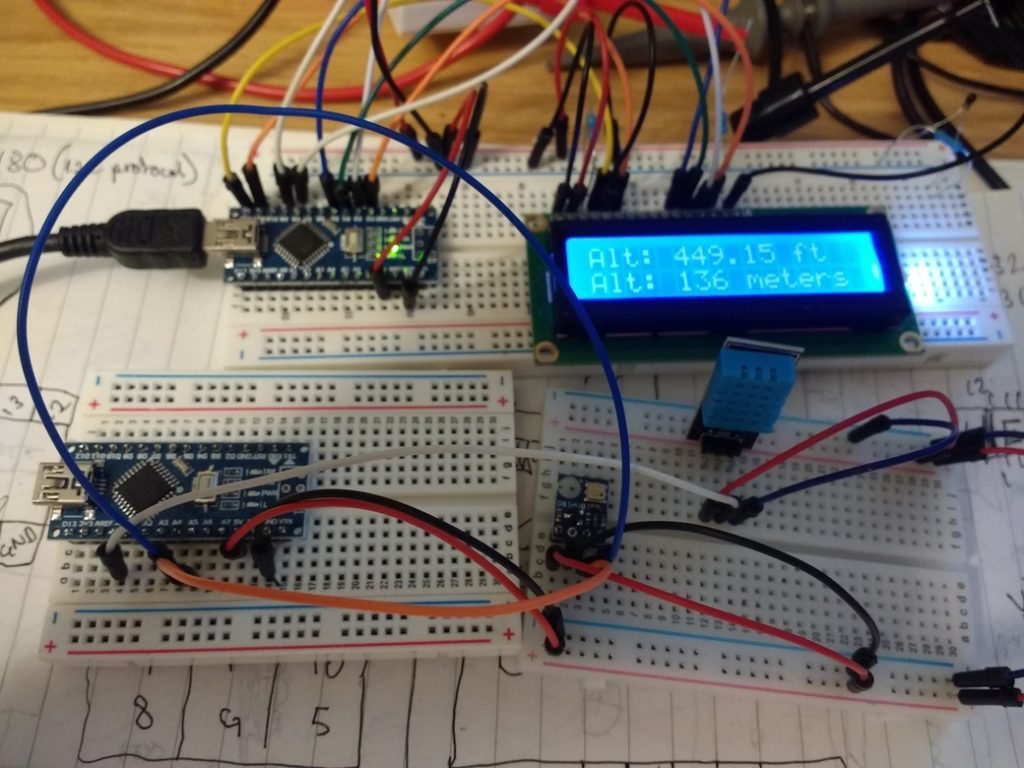
Now I'm in a position to add these sensors to the GPS LCD clock in the next Post as it is only 3 more wires that are free on the Nano..!